What Is Parking Mode on a Dash Cam? Power, Triggers, and Limits
Parking mode can record while your car is off, but the trigger, power source, battery cutoff, and saved footage all depend on the camera.
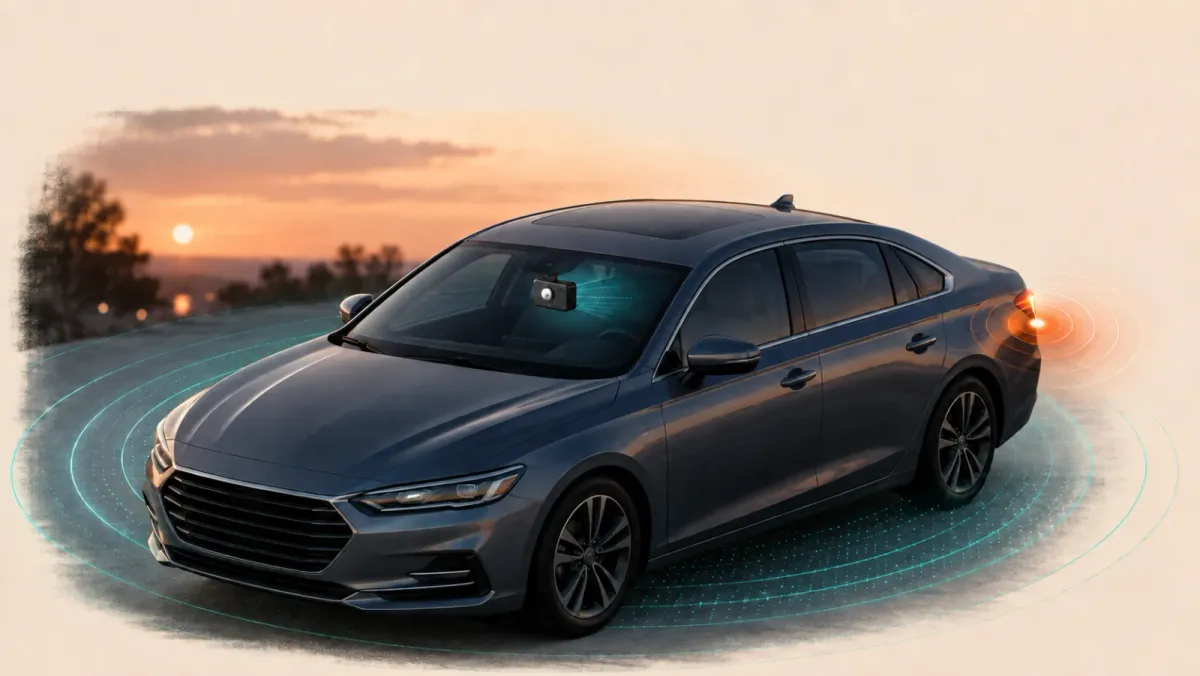
Dash cam parking mode records or monitors for events while your vehicle is parked. Its exact behavior depends on the camera. Some modes save motion or impact events.
Others record continuously at reduced quality or frame rate. Every setup still needs supported power, suitable storage, and a verified battery-protection plan.
What is parking mode on a dash cam?
Parking mode is a separate recording state for an unattended vehicle. It changes what the camera records after driving stops.
The term does not describe one universal feature. One camera may wait for an impact, while another records a continuous time-lapse.
Parking mode can help document a hit-and-run, vandalism, or activity near the vehicle. It cannot guarantee that every event appears clearly.
Useful footage depends on five parts working together:
- The camera must enter its intended parking state.
- A supported power source must remain available.
- The relevant camera view must cover the event.
- The trigger or continuous mode must capture useful footage.
- The file must remain accessible when you return.
That complete sequence matters more than a parking-mode label on a product page.
How does a dash cam know the vehicle is parked?
A dash cam can use an ignition signal or a stationary timer. The supported transition method depends on its hardware and power accessory.
A typical three-wire hardwire connection includes constant power, switched power, and ground. The switched ACC connection changes state when the ignition turns off.
The camera uses that change to enter parking mode. It returns to ordinary recording when the ignition signal returns.
Some cameras can infer parking after the vehicle remains stationary. This method may use an accelerometer, GPS information, or model-specific logic.
| Transition method | What the camera observes | Main check |
|---|---|---|
| Ignition based | The ACC signal turns off | Correct switched and constant connections |
| Stationary based | The vehicle remains still for a set period | Supported continuous power and transition delay |
| Accessory managed | A compatible OBD-II cable or battery signals the state | Camera, cable, and vehicle compatibility |
A powered camera can still remain in normal driving mode. Constant power alone does not prove that parking mode started.
Which parking recording mode should you choose?
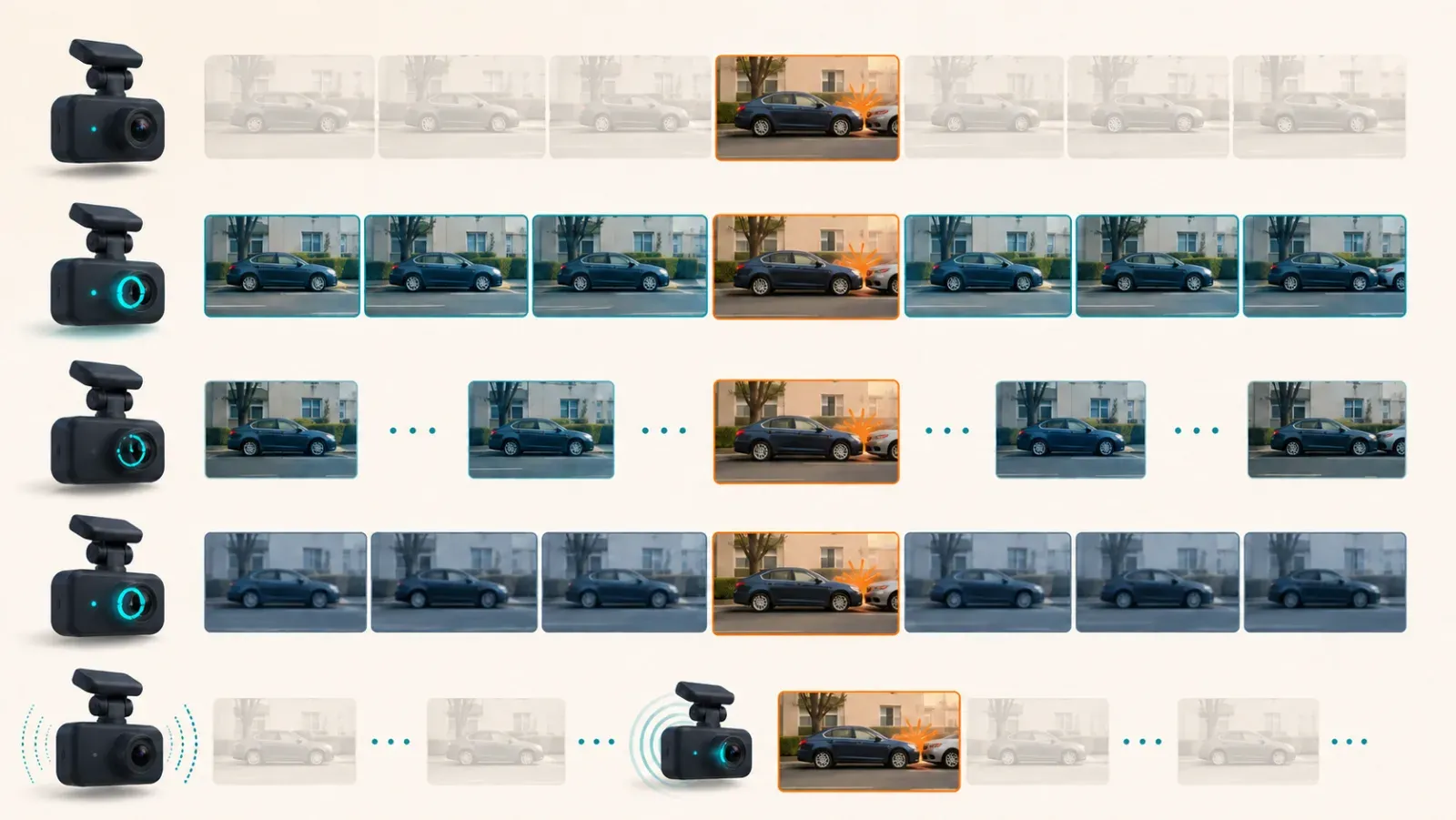
Choose a mode by the evidence you need and your parking environment. Each approach trades context, detail, storage, and power demand.
Event detection
Event detection saves footage after motion or impact meets the camera's threshold. It can reduce unnecessary card writes during quiet parking.
Motion detection can react to traffic, people, rain, shadows, or moving branches. Impact detection can miss activity that never moves the vehicle enough.
Buffered event recording
A buffered mode temporarily holds recent video before any event is confirmed. It then saves some footage from before the trigger.
That earlier context can show an approaching vehicle or person. Buffer duration and trigger rules vary between models.
Time-lapse recording
Time-lapse records fewer frames across a longer period. Playback shows a compressed view of what happened around the parked vehicle.
It uses less storage than ordinary full-rate recording. However, fast actions may occur between captured frames, and audio may be unavailable.
Low-bitrate recording
Low-bitrate mode records continuously with less video data. It usually preserves normal timing better than time-lapse.
The compromise is lower image quality than normal recording. Continuous operation can also demand more power than a sleeping impact-only mode.
Low-power impact recording
Low-power modes keep only limited sensing active until an impact occurs. The camera wakes and records after the trigger.
This approach can extend standby time. It may miss the moments before contact because the image sensor was asleep.
A mode name is only a starting point. Confirm the trigger, buffer, audio, channels, and file behavior for your exact camera.
How does parking mode get power?
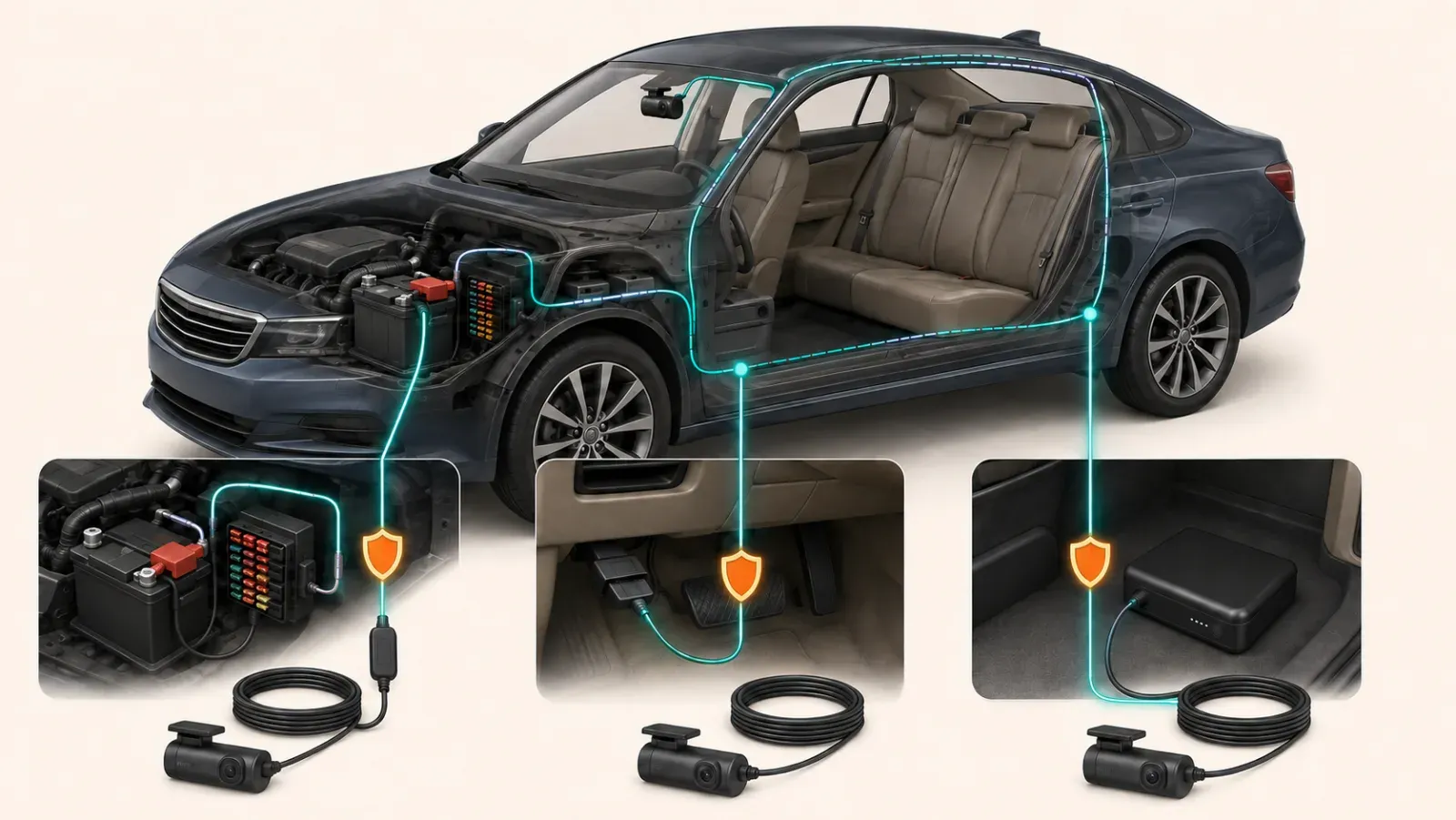
Parking mode needs power after the engine turns off. A compatible hardwire kit is common, but it is not the only option.
Supported power choices may include:
- A three-wire hardwire kit. It connects to constant power, switched power, and vehicle ground.
- A compatible OBD-II cable. It can simplify installation when both the camera and vehicle support it.
- A dedicated dash cam battery. It charges while driving and powers parked recording afterward.
An always-on 12V outlet may keep a camera running. It may not provide an ignition signal or low-voltage protection.
A generic power bank is also not automatically suitable. Vehicle heat, charging behavior, connectors, and mode signaling all require confirmation.
Use accessories documented for the exact camera. Incorrect vehicle wiring can damage the camera, battery, or electrical system.
Seek qualified installation help when you cannot identify the supported circuits and protection requirements confidently.
Can parking mode drain the vehicle battery?
Yes, a hardwired dash cam uses stored vehicle energy while the engine is off. Battery protection limits that use but cannot eliminate it.
A compatible cutoff can stop power when voltage reaches a configured threshold. A timer can stop recording after a selected duration.
Some systems stop at a cutoff voltage or parking timer. This explains many apparently early parking-mode shutdowns.
Do not copy another driver's cutoff setting. Battery condition, vehicle design, temperature, trip frequency, and manufacturer guidance all matter.
There is no honest universal parking runtime. It changes with these factors:
- Camera model and channel count
- Selected parking mode
- Wireless and cloud activity
- Frequency of motion or impact triggers
- Battery condition and temperature
- Cutoff voltage and timer settings
A larger memory card cannot extend a power-limited session. A dedicated dash cam battery may reduce demand on the starter battery.
Unexpected starting trouble or electrical warnings need proper investigation. Do not bypass a cutoff merely to keep the camera running longer.
What happens to parking footage on the memory card?
Parking files follow the camera's storage rules. They may use separate folders, shared loop space, or protected event allocations.
Loop recording eventually reuses card space. Some cameras protect impact files, but protected storage can still have a defined limit.
Do not assume an event remains forever. Copy important footage to another device as soon as practical.
Check four details in the manual:
- Where parking clips appear in the app or card folders
- Whether motion and impact files use different categories
- Which files are protected from ordinary loop recording
- What happens when the protected allocation becomes full
Parking mode also increases card workload. Use a compatible endurance card and follow the camera maker's maintenance guidance.
After any incident, preserve the original file before editing or sharing. Confirm that the copy opens and includes the needed time period.
How do you set up and test parking mode?
Enable parking mode only after confirming the correct power method and settings. Then test the full transition, trigger, file, and restart sequence.
- Read the camera and power-accessory manuals together.
- Select the recording mode that matches your parking environment.
- Set battery protection using documented guidance.
- Turn off the vehicle and wait for the stated transition delay.
- Confirm the screen icon or voice message described by the manufacturer.
- Create a safe motion test or gently move an object within the camera view.
- Restart the vehicle and confirm normal driving recording resumes.
- Review every camera channel and verify the saved time around the event.
Do not strike the vehicle to test impact detection. Use the manufacturer's safe procedure when an impact test is necessary.
Start motion sensitivity conservatively in a busy location. Wind and rain can create unwanted recordings.
Review the first several parking sessions. Lower sensitivity when irrelevant clips dominate, but confirm genuine test events still register.
Recheck the setup after firmware, wiring, battery, or memory-card changes. A previous result does not prove the current configuration works.
Parking mode is worthwhile when you verify the entire system. Power, triggers, camera coverage, storage, and retrieval must all support your goal.