Best Dash Cam for Truckers: Five Picks by Route and Coverage Need
The best dash cam for a trucker depends on whether the priority is navigation, exterior coverage, long retention, cabin views, or remote access.
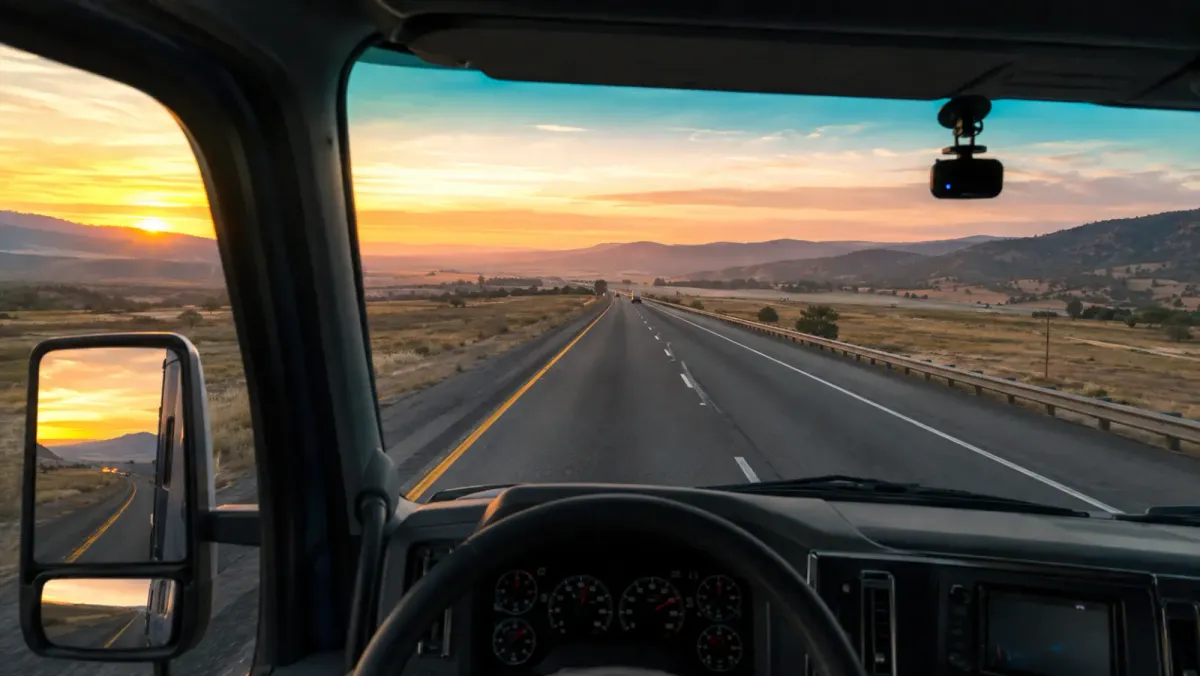
The best dash cam for truckers fits the truck, route, evidence need, installation limits, and retrieval routine. Garmin's dēzlCam OTR725 integrates truck navigation, while VIOFO's waterproof system suits exposed exterior coverage. BlackVue fits remote access, while Vantrue suits drivers wanting four simultaneous views.
This is a research-based shortlist, not a hands-on test. Every recommendation depends on verified installation, power, storage, and recording performance in the actual truck.
What makes a dash cam truck-ready?
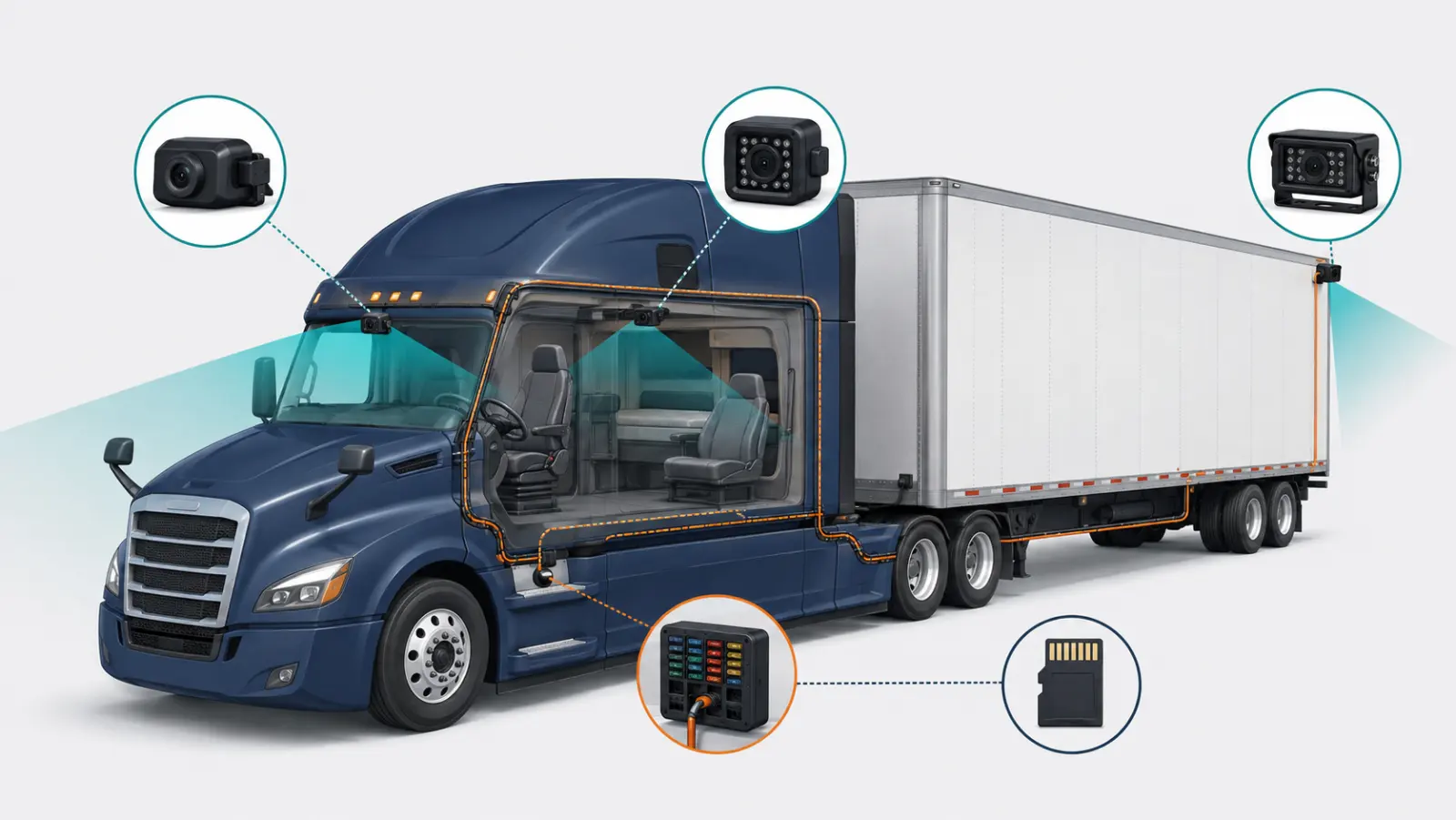
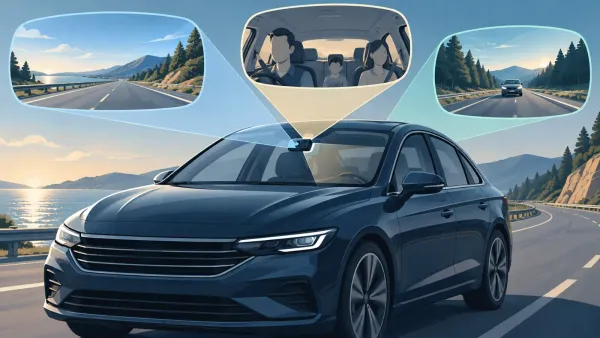
Front, cabin, and weatherproof rear cameras cover different evidence gaps and depend on one coordinated power and storage system.
A truck-ready dash cam must fit the vehicle before its headline resolution matters. Start with the views, then verify every physical and electrical constraint.
Prioritize these questions:
- Does the system record the road, cabin, rear, or exterior side areas you need?
- Are the camera cables long enough for the planned route?
- Can an exterior camera tolerate weather and road spray?
- Does the power accessory support the truck's electrical system?
- Can storage retain enough hours across every active channel?
- Can you save and share a clip without delaying the trip?
- Do connected features work with your carrier and service plan?
Resolution still matters, but a high-resolution camera cannot cover a missing angle. It also cannot correct a loose mount or failed storage card.
Treat the camera, cables, storage, power equipment, and retrieval process as one system.
Which dash cams fit different trucking needs?
No single model wins every trucking use case. These five choices solve different problems and carry different limitations.
| Model | Best fit | Coverage | Main trade-off |
|---|---|---|---|
| Garmin dēzlCam OTR725 | Navigation plus front evidence | Front only | Lower resolution and no cabin view |
| VIOFO A329SW 3CH | Weather-exposed rear coverage | Front, cabin, exterior rear | More demanding installation |
| VIOFO A329S 3CH | Long local retention | Front, cabin, interior rear | Rear camera needs protected mounting |
| Vantrue N5S | Broad cabin and side-window context | Front, two cabin views, rear | Large front unit and four video streams |
| BlackVue DR970X-2CH LTE Plus II | Remote alerts and retrieval | Front and rear | Carrier and service dependencies |
Garmin dēzlCam OTR725: best fit for navigation integration
Choose the Garmin when one device should handle truck navigation and forward incident recording. Its navigator includes a forward dash camera and truck-oriented route tools.
The camera records at 1080p or 720p, 30 frames per second, with a 140-degree field of view. It can save detected incidents and include time, location, and speed data.
Saved video can upload to Garmin Vault through Wi-Fi. Online storage and secure sharing use an optional Vault subscription.
Skip this option when cabin, rear, or side coverage is essential. It has one forward view and no night-vision filter.
The retailer review sample was very small. Buyers liked the combined navigation and recording, while one wanted a longer power cord.
VIOFO A329SW 3CH: best fit for an exterior rear camera
Choose the A329SW 3CH when the rear camera must live outside the cab. It combines a 4K front camera, 2K cabin camera, and 2K waterproof rear camera.
The cabin camera has a 210-degree fisheye view with infrared lighting. The exterior rear camera carries an IP67 rating and a water-repelling lens coating.
VIOFO offers rear-camera cables from 3 meters through 15 meters. That range is unusually relevant for vans, pickups, box trucks, and longer commercial vehicles.
The system accepts up to 512GB microSD storage and an external SSD up to 4TB. That flexibility helps high-mileage drivers manage multiple streams.
Skip it when installation must remain simple or removable. Exterior mounting, a long cable run, storage, and parking power require a complete plan.
Visible retailer reviews were too few for a reliability claim. They praised image quality, while one disliked the automatic screen timeout.
VIOFO A329S 3CH: best fit for extended local storage
Choose the A329S 3CH when high-resolution local retention matters more than cloud access. It records 4K front, 2K cabin, and 2K rear video.
Its 210-degree cabin camera can show the cabin and side-window context. The standard rear camera mounts inside a protected rear window.
The system supports up to 512GB microSD storage and an external SSD up to 4TB. It can also copy selected footage from the card to the SSD.
Skip this version when there is no suitable sheltered rear window. The A329SW waterproof edition better fits an exposed exterior position.
The retailer sample praised video clarity and fast access through the app. Several reviewers chose professional installation, and many reviews were incentivized.
Vantrue N5S: best fit for four-view cabin coverage
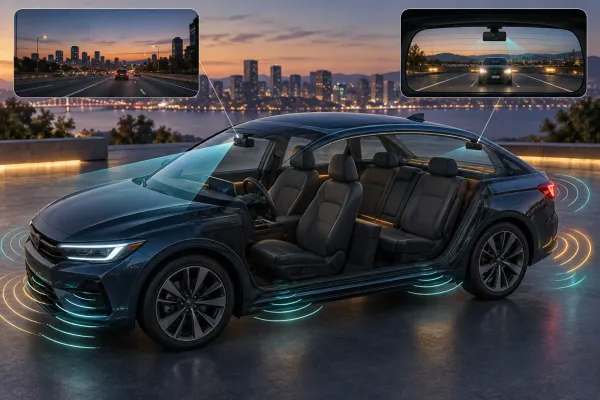
Choose the Vantrue N5S when broad interior and side-window context is the priority. Two physical units provide four camera views: front, front-cabin, rear-cabin, and rear.
Vantrue lists four STARVIS 2 sensors and support for cards up to 1TB. The two cabin cameras reduce gaps created by seats and a single interior viewpoint.
However, cabin lenses do not become weatherproof exterior side cameras. Pillars, occupants, reflections, and darkness can still block outside details.
Skip it when front detail or a discreet mount matters more than maximum view count. The larger front unit needs careful placement in a commercial windshield.
The retailer displayed 62 reviews during research. One detailed owner liked the system but criticized Wi-Fi range and sensitive event locking.
BlackVue DR970X-2CH LTE Plus II: best fit for remote access
Choose the BlackVue when remote live view, alerts, tracking, and playback matter. It records 4K front and Full HD rear video.
The North American version includes a nano-SIM reader and supports BlackVue Cloud. Its remote tools include live view, event alerts, backup, tracking, and playback.
Carrier compatibility is a buying gate. BlackVue lists T-Mobile support in the United States, while AT&T and Verizon are not supported.
Skip it when local-only operation or cabin coverage is the priority. Connected tools also depend on coverage, data, accounts, and current service terms.
The retailer showed eight reviews but no visible aggregate score. One owner praised setup help yet encountered an incompatible mobile carrier.
How many camera channels does a trucker need?
Use the fewest channels that cover the events you genuinely need to document. Every added stream increases cable work, storage demand, and review time.
One channel suits a driver focused on traffic ahead. It is the simplest arrangement to install, inspect, and retrieve.
Two channels usually add the rear road or the cabin. Decide which missing view creates the greater evidence gap.
Three channels can combine front, cabin, and rear coverage. A waterproof rear option matters when the camera cannot mount behind protected glass.
Four channels can add another cabin or side-window perspective. That broader context still does not guarantee continuous exterior coverage around a trailer.
For true side or trailer coverage, choose equipment intended for exterior mounting. Verify weather rating, connectors, cable length, and recording synchronization.
How much storage should a long-haul driver choose?
Choose storage from the exact camera maker's compatibility list. Then estimate retention using the selected resolution, bitrate, channels, and daily recording hours.
Multi-channel 4K systems consume storage faster than one 1080p camera. A capacity label alone cannot predict recording time across different models.
For long trips or commercial use, VIOFO recommends 128GB or 256GB cards for many supported cameras. Some current models support 512GB cards or external SSD storage.
Use a compatible endurance card built for repeated recording cycles. Format it through the camera when instructed, and inspect saved files regularly.
Test these actions before the first long route:
- Play a normal clip from every camera.
- Save an event so loop recording cannot immediately replace it.
- Copy the original file without editing it.
- Confirm timestamps and camera order.
- Repeat the check after firmware or storage changes.
Storage capacity is not a substitute for a retrieval routine. A huge drive can still hold unusable files if recording failed unnoticed.
Should a trucker pay for LTE and cloud access?
LTE helps when someone needs evidence before reaching the truck or removing its card. It can also support alerts and remote vehicle checks.
Pay for connected service only when the workflow justifies its dependencies. Confirm the supported carrier, coverage, data plan, cloud plan, account ownership, and retention terms.
Owner-operators may value faster remote retrieval after an incident. Fleets must also define who can view footage and how access changes.
Local recording remains essential even with cloud features. Mobile coverage can fail, and service terms can change.
Drivers who only need event evidence may prefer strong local storage and simple transfer. Avoid a recurring service that nobody will monitor.
How should parking mode and hardwiring work in a truck?
Parking recording needs a verified parking mode power setup, not just a camera setting. The power accessory must match the truck and the chosen camera.
Check whether the vehicle uses a 12-volt or 24-volt system. Verify the hardwire kit's accepted range, cutoff options, and required connections.
The installation should identify constant power, accessory power, and a suitable ground. The cutoff should stop camera power before the battery becomes unusable.
Never copy a fuse choice from another vehicle without testing it. Fuse layouts can differ across model years and upfits.
A professional installer is appropriate when the wiring, vehicle policy, lease, or warranty creates uncertainty. Document the final cutoff setting and test the transition both ways.
How should a trucker install and verify the complete system?
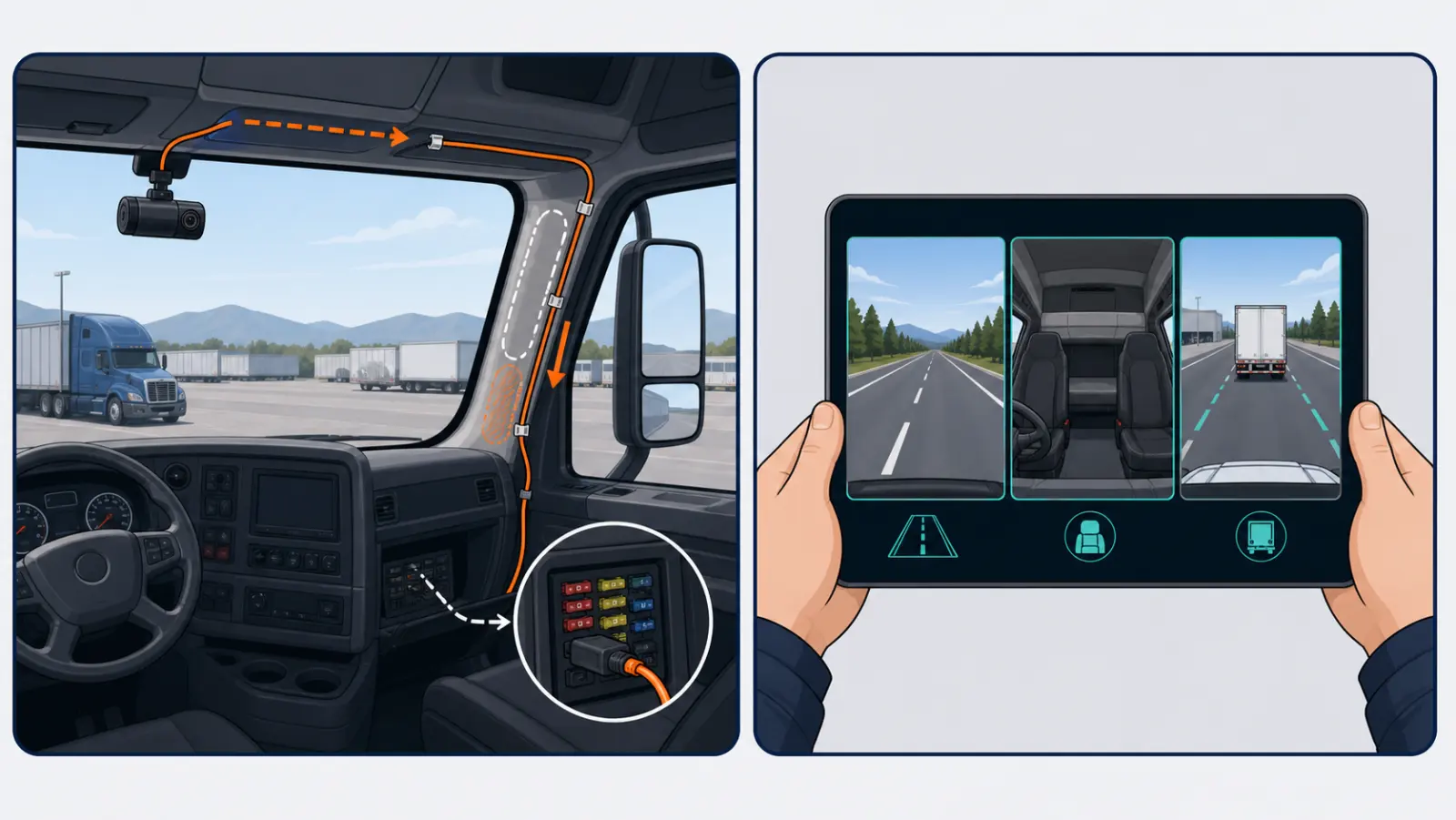
Plan a protected cable route first, then verify the front, cabin, and rear recordings while the truck is parked.
Build a front and rear installation plan before ordering cables. Include every camera position, connector, service loop, fuse location, and storage access point.
Follow these steps:
- Mark the required views from the driver's normal seating position.
- Check windshield visibility and mounting rules for the operating jurisdictions.
- Measure the complete cable path, including doors, headliner, and moving joints.
- Keep cables away from airbags, controls, sharp edges, and hot components.
- Confirm exterior-camera ratings before placing anything outside.
- Power the system with the approved adapter or compatible hardwire equipment.
- Record daylight and night clips from every channel.
- Retrieve the files on the device that will be used after an incident.
Commercial drivers should review mounting and recording rules separately. Audio, cabin video, location, employer policy, and passenger notice can raise different obligations.
Do not treat a product page as a fleet compliance plan. Current federal, state, employer, lease, and company rules remain controlling.
Which trucker dash cam should you choose?
Choose the Garmin dēzlCam OTR725 for integrated truck navigation and a simple forward record. Accept its single view and lower camera resolution.
Choose the VIOFO A329SW 3CH when a weatherproof exterior rear camera and long cable options are essential. Plan the installation carefully.
Choose the VIOFO A329S 3CH for three high-resolution views and extended local SSD storage. Use it only with protected rear-camera mounting.
Choose the Vantrue N5S when four views and cabin context matter most. Confirm the large front unit fits without blocking sight lines.
Choose the BlackVue DR970X-2CH LTE Plus II for remote access and alerts. Verify carrier and service compatibility before buying.
Finally, compare what to look for in a dash cam against the exact truck. The correct choice is the system you can install, verify, and maintain.