Thinkware Dash Cam Review 2026: Which Setup Fits Your Drive?
A manufacturer-sourced guide to Thinkware camera coverage, parking setup, footage access, and the trade-offs between three model paths.
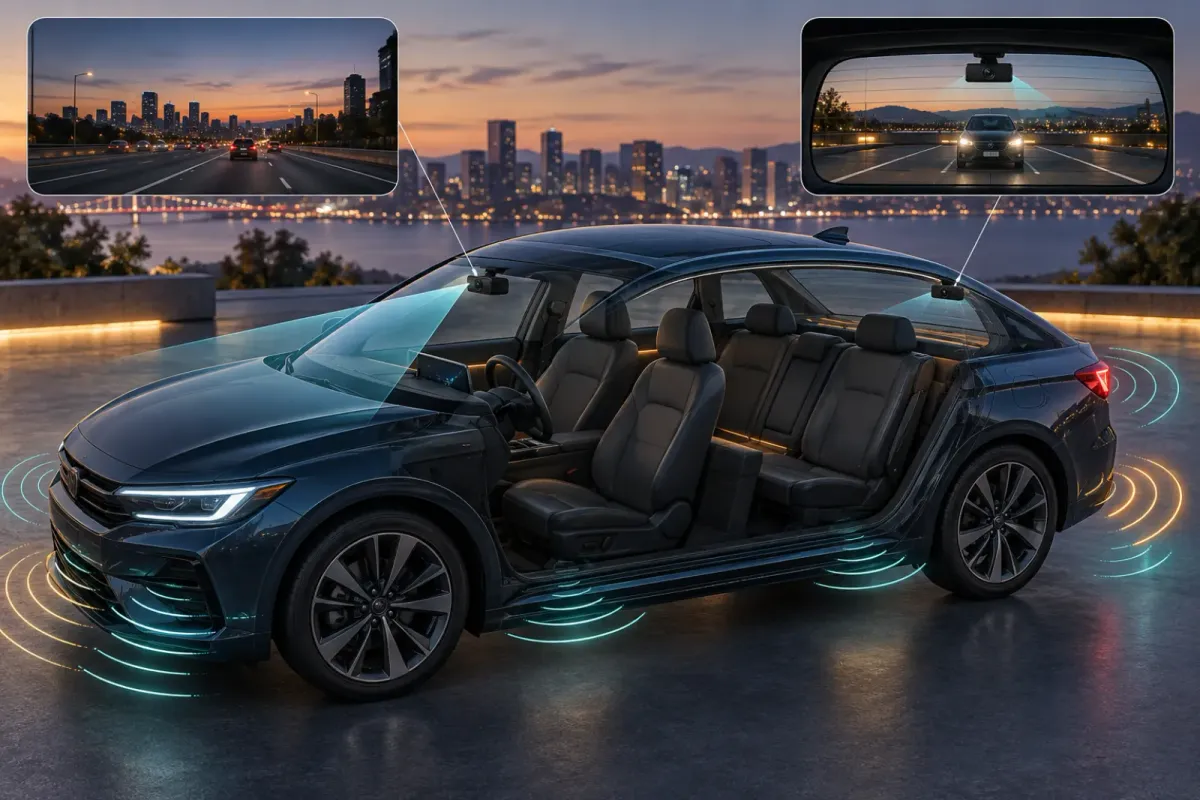
Thinkware has several distinct paths. The Q200 PRO suits a straightforward front-and-rear setup. The U3000 PRO adds built-in parking radar and optional remote features. The ARC 900 adds a screen for drivers who prefer controls on the camera. Choose by coverage, parking power, and how you will retrieve a saved clip.
This guide compares published features and support instructions. It does not claim hands-on footage testing or a measured image-quality ranking.
Which Thinkware dash cam makes sense for your driving?
Start with the view you need, then decide whether parking surveillance and a built-in screen matter. A higher resolution label alone cannot establish how readable a particular clip will be in rain, glare, or motion.
| Model path | Published front and rear recording | Practical reason to consider it |
|---|---|---|
| Q200 PRO | 2K front and 1080p rear | A simpler two-camera setup with local phone access. |
| U3000 PRO | 4K front and 2K rear | Built-in parking radar and optional connected features. |
| ARC 900 | 4K front and 2K rear, with a 3.5-inch touchscreen | On-device review and settings. |
These are comparison paths, not a universal ranking. Check the exact bundle for its rear camera, power cable, memory card, and mount before ordering. The presence of a feature in a product family does not prove that every package includes its accessory.
The U3000 PRO is the clearest fit when parking detection or optional remote monitoring is the priority. Choose the ARC 900 if a screen is more valuable than the U3000 PRO's connected path. Consider the Q200 PRO if front-and-rear evidence matters more than those added controls.
Do you need front, rear, or cabin coverage?
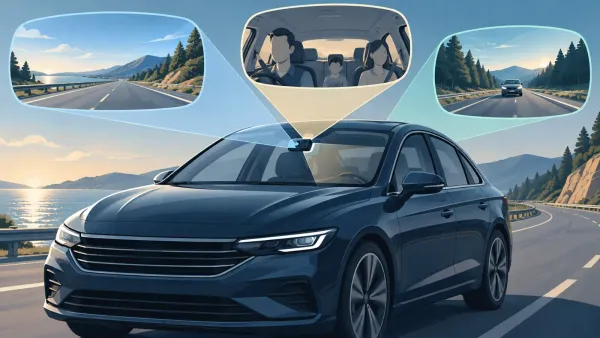
Front and rear cameras cover different traffic directions. A cabin camera looks inward at passengers and is not a substitute for a rear road view. Pick the missing viewpoint first, then confirm that the chosen model and bundle support it.
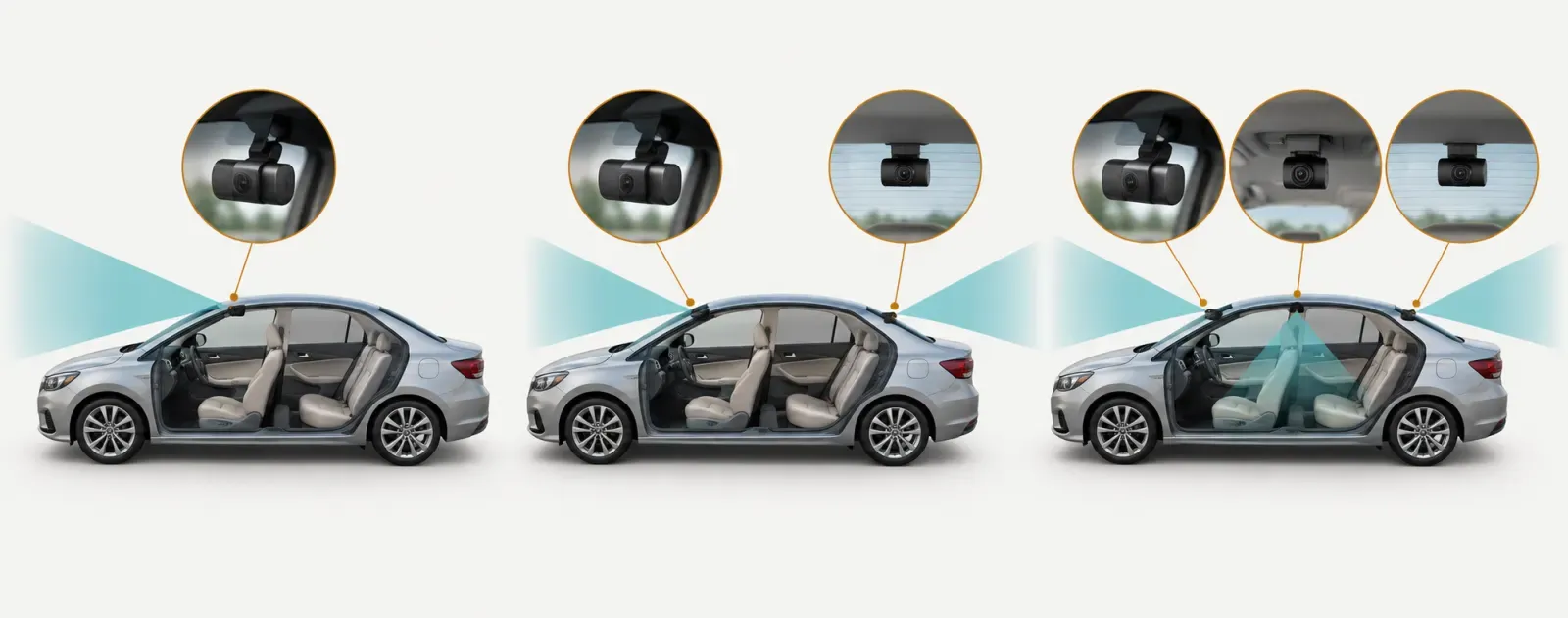
Left to right: front road view; front and rear road views; front, rear, and inward cabin views.
The U3000 PRO supports an optional infrared cabin camera. Thinkware states that its cabin camera and optional LTE module cannot be used simultaneously. That trade-off matters if you want both passenger footage and remote access.
The Q200 PRO supports a multiplexer accessory for more camera views. Additional side or cabin coverage adds installation work and more footage to manage. A basic front-and-rear setup may be easier to maintain if those extra views would rarely answer a real question for you.
Before installing any cabin camera, review the privacy and audio rules that apply where you drive. Decide whether audio belongs in your setup separately from the choice of camera view.
What does parking mode require?
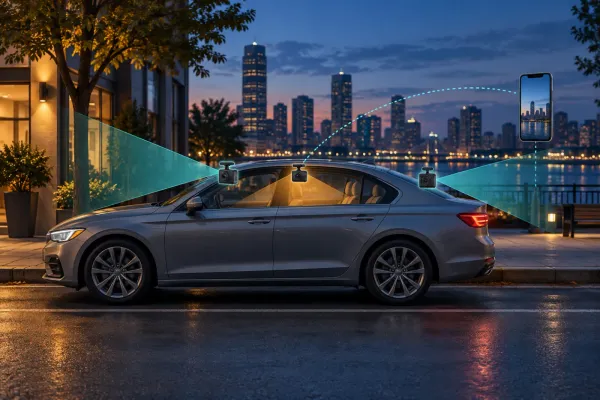
Parking mode needs power after the ignition is off and the correct camera setting. Thinkware says a hardwire cable, compatible OBD-II cable, or iVolt battery pack enables parking mode. Its ordinary 12V car charger does not.
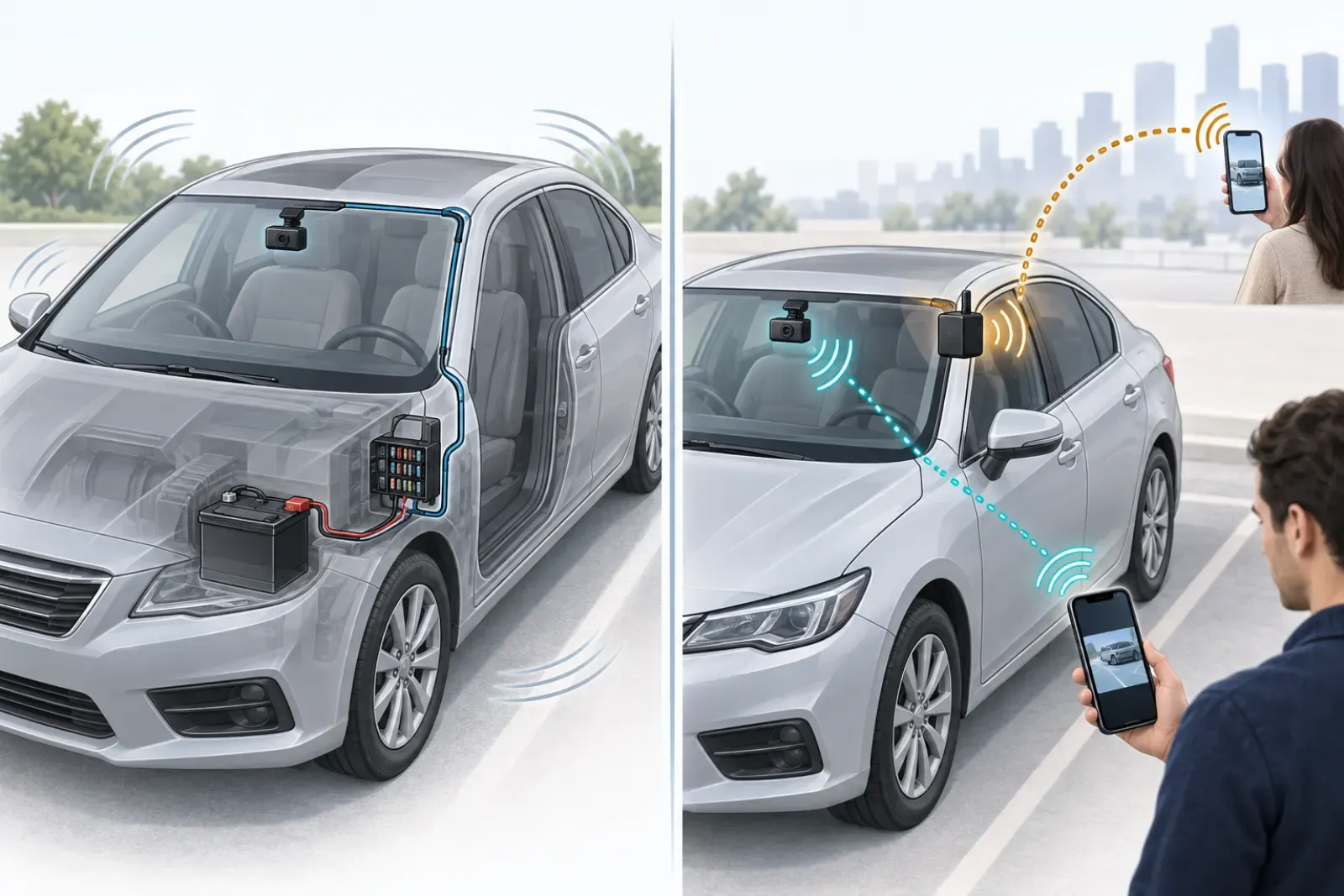
A parking power connection supports recording after ignition off; local Wi-Fi reaches a phone near the car.
The difference matters even if your vehicle's 12V outlet stays live. A live outlet alone does not give the camera the ignition signal needed to switch into its parking settings. It can also keep the camera in driving mode when the car is parked.
- Check which parking power accessory works with the specific camera and vehicle.
- Have the cable installed with a correct constant, accessory, and ground connection where required.
- Enable the desired parking mode in the camera settings.
- Turn off the ignition and confirm the camera enters parking mode.
- Inspect a saved parking clip and the vehicle battery cutoff settings.
Thinkware recommends professional hardwire installation because vehicle fuse arrangements differ. If parking mode is your main reason to buy, budget time for the power installation and verification as part of the decision.
Is U3000 PRO radar parking the same as continuous recording?
No. The U3000 PRO has built-in front and rear radar to monitor movement while parked. Thinkware describes a short saved clip when its radar mode detects movement or impact. That is a different behavior from recording every moment continuously.
Radar can reduce the time a parked camera spends fully awake, but it is not a guarantee that every contact will be captured. Thinkware lists detection limits, including smaller passing objects and interference from metal objects.
Check the mode, not just the feature name. Match the parking setting to the kind of event you hope to preserve, then test it in a safe setting.
Drivers who need a continuous record of a parked scene should examine the camera's other parking modes and their power demands. Drivers mainly concerned about nearby vehicles may find a radar-based mode more suitable. Neither choice replaces confirming that saved clips can actually be retrieved.
Can you view footage locally without remote service?
Yes. Thinkware Dash Cam Link uses a nearby Wi-Fi connection to list and play saved recordings. That local connection is useful at the car for checking a clip, changing settings, or downloading a needed file.
Local Wi-Fi is different from access when you are away from the vehicle. The U3000 PRO's THINKWARE CONNECTED path requires an optional LTE module and service. The current service terms distinguish Basic and Premium features. Check those terms when you buy because connected offerings can change.
If your phone has trouble joining the camera, Thinkware's app troubleshooting guide points to wireless CarPlay, Android Auto, phone permissions, and network switching as possible causes. Test the local file workflow before you need it after an incident.
Skip the remote setup if you only need to pull footage beside the car. It adds a module, registration, and service decisions without changing the basic front-and-rear coverage.
How much storage do these models support?
Thinkware lists up to 512GB microSD support for the U3000 PRO and ARC 900. The Q200 PRO lists up to 256GB. Capacity is only one part of a reliable footage workflow.
Thinkware recommends its own microSD cards and does not guarantee third-party card compatibility. Confirm the card's model and capacity against the camera's support page, then make a short recording and play it back.
Continuous recording files overwrite when storage fills. Thinkware also warns that disabling overwrite for some other folders can fill the card and stop new recording. Copy important files promptly instead of assuming an incident clip will stay on the card indefinitely.
For a driver who often travels for long periods, a compatible larger card may leave more footage available before overwrite. It still needs periodic checks. A large card cannot compensate for a camera that stopped recording or a file that was never copied.
What should you verify after installation?
Verify the actual saved footage and the transitions you plan to rely on. The app preview alone cannot prove the rear camera, parking power, and memory card are working together.
- Play a short saved front clip and a short saved rear clip, if installed.
- Check the aim of each camera in daylight and after dark.
- Turn the ignition off and confirm the chosen parking mode starts.
- Retrieve a parking event or test clip without changing its original file.
- Confirm the memory card is recognized and that the intended folders can continue recording.
- Recheck after a firmware update, power change, or card replacement.
If any view is blank or the camera shuts down when the ignition turns off, fix that before relying on the system. A simpler verified setup is more useful than an ambitious setup whose saved clips you have not opened.
Who should skip a Thinkware setup with extras?
Skip the LTE path if you are satisfied with nearby phone retrieval. Skip a cabin camera if the only missing view is traffic behind you. Skip parking mode if you cannot provide the supported power connection or verify it in your vehicle.
Thinkware's lineup offers several ways to build coverage. The practical choice is the one that captures your needed views, records when you expect, and lets you save the file when it matters. Compare the exact package and support instructions before purchasing.