Low Bitrate Parking Mode Dash Cam: Audio, SD & Power Specs
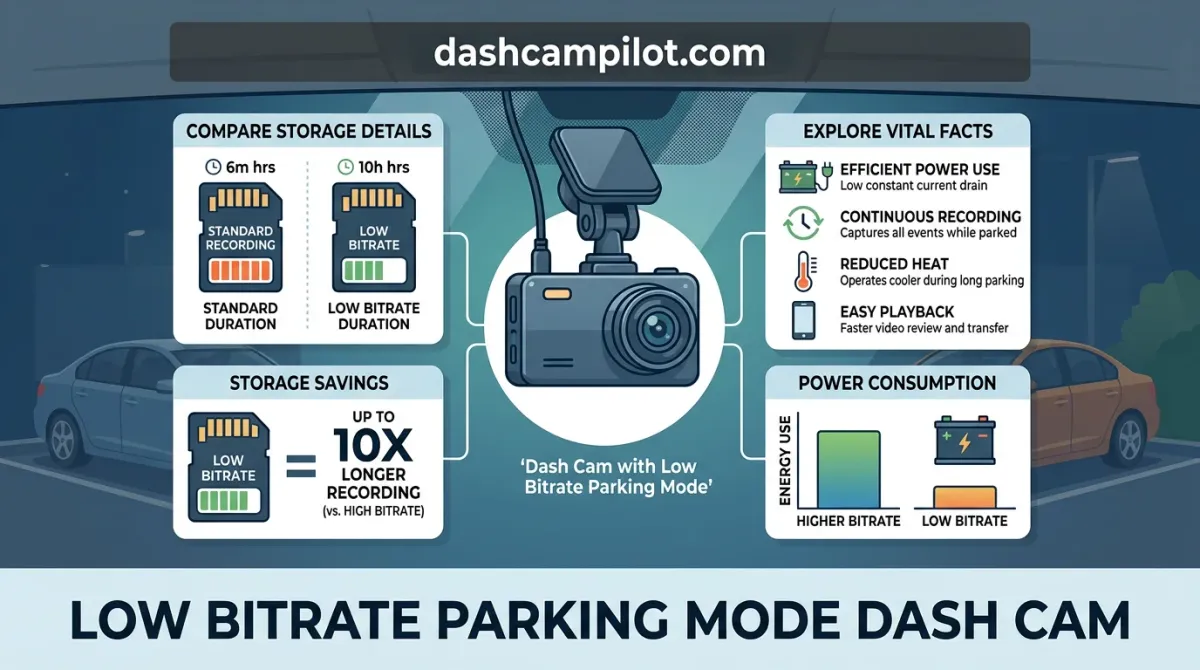
Finding your parked car damaged with no culprit in sight is frustrating. A low bitrate parking mode dash cam solves this by continuously recording real-time footage at a drastically reduced data rate while your engine is off.
Instead of waiting for an impact sensor to wake up or skipping frames like time-lapse, it captures uninterrupted video and audio around the clock without rapidly filling your memory card.
Ahead, we examine how this compression affects video clarity, review storage and battery impact, and evaluate how it measures against other surveillance modes.
What Is a Low Bitrate Parking Mode Dash Cam?
A low bitrate parking mode dash cam is a surveillance system designed to record continuous video and synchronized audio while a vehicle is parked. It works by heavily compressing the incoming video stream rather than entering a passive sleep state.

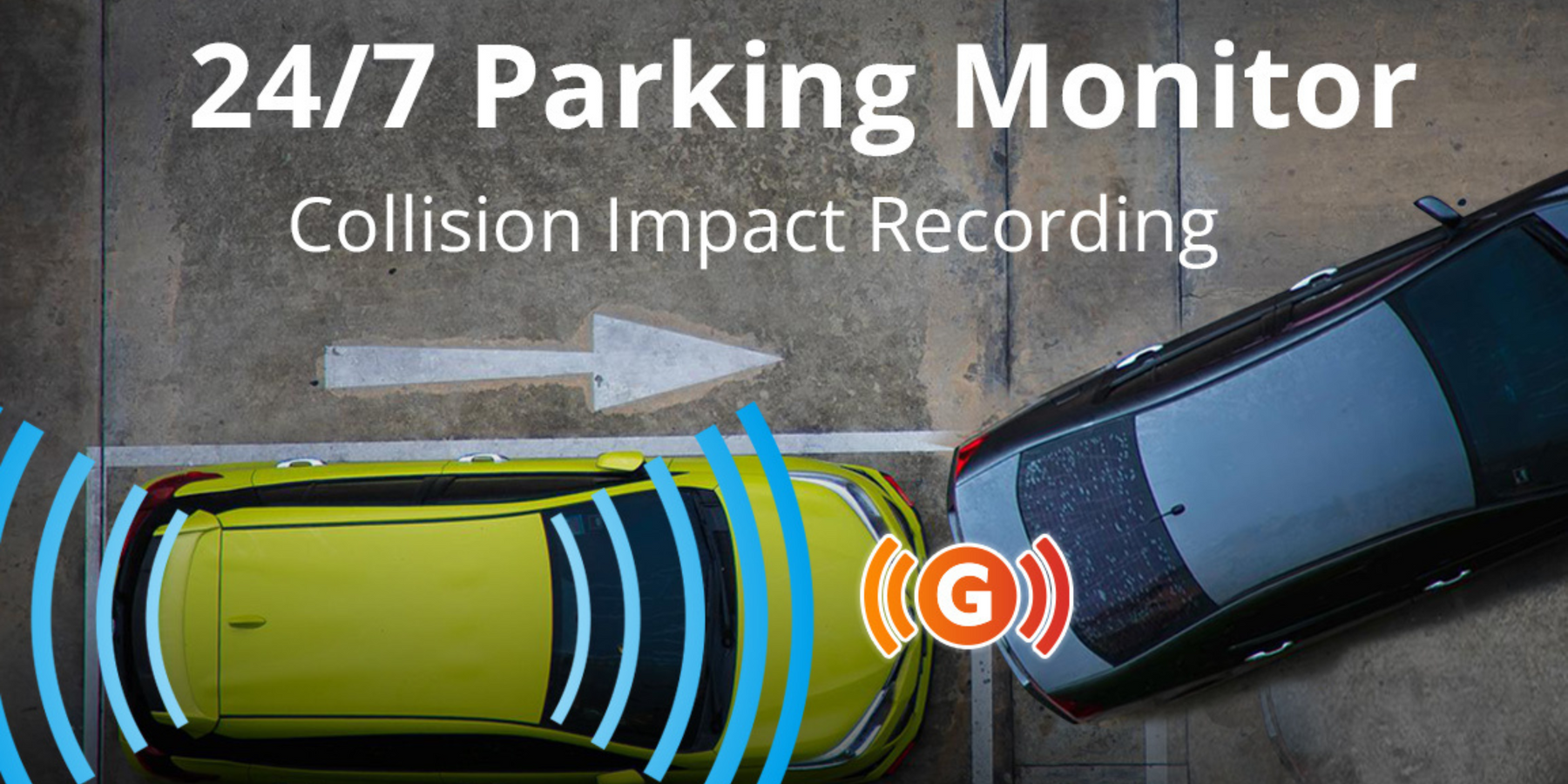
Because the camera never stops recording, it preserves the complete context before, during, and after an event. Vehicle owners do not have to rely on physical impact or motion sensors to wake the unit, eliminating the risk of delayed recording triggers.
Core Mechanics: Video Compression and Frame Rates
In low bitrate mode, the dash cam restricts its data rate to between 3 and 8 Mbps. The specific bitrate varies depending on the manufacturer, camera resolution, and the encoding format used, such as H.264 or H.265.
Low bitrate parking mode records continuous video and audio at standard playback speed, unlike time-lapse mode which records disjointed frames without synchronized audio. It maintains a fluid frame rate of 15 to 30 fps, which varies by dash cam brand and sensor configuration.
This operating method introduces a direct operational trade-off: drivers gain continuous, uninterrupted visual and audio context around the car, but sacrifice the fine visual detail and sharpness found in primary recording modes.
The Key Difference Between Standard and Parking Bitrates
Standard driving profiles allocate high bitrates to resolve rapid motion and distant details on open roads. For example, a dash cam might record a 25 Mbps driving stream while pulling into a stall, but instantly drop to a 4 Mbps parking stream once the engine turns off.
Both streams capture the same parking stall, but the 4 Mbps stream produces a fraction of the file size. This allows the system to document extended periods of real-time movement, ambient audio, and nearby activity without rapidly exhausting storage memory.
How Low Bitrate Recording Compresses Video and Audio
Low bitrate parking mode maintains uninterrupted surveillance through real-time stream compression. Rather than pausing recording or discarding frames, the dash cam's system-on-chip (SoC) alters its internal encoding pipeline to reduce the rate of data written to the storage media.
Codec Efficiency: H.264 vs H.265 Compression
The dash cam's main SoC video encoder applies advanced codecs like H.264 (AVC) or H.265 (HEVC) to minimize data rates. While H.264 offers broad playback compatibility, H.265 uses dynamic Coding Tree Units to compress static background areas up to 50 percent more efficiently.
Under this mode, the hardware encoder throttles the target video bitrate down to a constrained profile, often between 2 Mbps and 5 Mbps. The processor calculates intra-frame and inter-frame predictions to package continuous, low-bandwidth video frames without introducing frame skips.
Continuous Audio Capture and Cabin Monitoring
Audio recording status is enabled and typically continuous in low bitrate mode, though the exact function varies by user configuration and firmware implementation. The internal microphone records cabin and perimeter sounds seamlessly alongside the compressed video stream into a synchronized container.
This persistent acoustic monitoring preserves evidence outside the camera's visual field of view. For example, it can record the sound of a bumper scraping at low speed or capture raised voices outside the vehicle immediately before a vandalism incident occurs.
The primary advantage is unbroken timeline coverage: events before, during, and after an incident are captured without reliance on motion sensors waking the camera.
G-Sensor Impact Locking During Low Bitrate Mode
Dash cams segment low bitrate footage into standard loop recording intervals, typically lasting one to three minutes per file. When the internal G-sensor accelerometer registers a physical shock threshold, the SoC flags that active segment as an emergency file.
The processor routes the flagged clip into a protected, read-only partition to prevent automated loop cycles from overwriting it. Continuous writing eliminates trigger delays or missed wake-up events, guaranteeing complete physical context surrounding sudden collisions.
Low Bitrate Dash Cam vs Time-Lapse and Buffered Modes
Standard driving mode operates at native bitrates between 15 and 30+ Mbps. Running this profile continuously while parked generates substantial internal heat and exhausts storage cards 4 to 5 times faster than low bitrate mode.
Low bitrate parking mode resolves these constraints by maintaining an uninterrupted, lower-bandwidth recording profile. This balance preserves thermal stability and maximizes continuous surveillance without abruptly ending monitoring sessions.
Time-Lapse Parking Mode Trade-offs
Time-lapse mode dramatically reduces storage use by dropping frame rates down to 1–5 frames per second (fps). To save maximum card space, dash cams operating in time-lapse typically discard the audio track entirely.
In contrast, low bitrate parking mode maintains a standard real-time frame rate of 15–30 fps along with synchronized cabin and ambient audio, relying on heavier data compression instead of dropped frames.
This difference becomes critical during fleeting incidents. For example, in a low-speed parking side-swipe, time-lapse video can miss the exact second of contact between skipped frames. Low bitrate recording captures the continuous motion alongside the distinct audio thump of impact.
Buffered Motion and Impact Detection Trade-offs
Buffered parking mode maintains original image resolution and crispness. The camera continuously stores a rolling 5 to 15 seconds in temporary cache, writing to the memory card only when triggered by optical motion, radar, or a G-sensor shock.
However, buffered modes depend entirely on mechanical or visual triggers. Slow door dings, gradual keying vandalism, or incidents just outside optical detection zones can fail to trigger the sensor, leaving no evidence behind.
Low bitrate mode operates continuously regardless of external motion. While it trades away fine edge detail and license-plate sharpness under high compression, it eliminates the risk of missed trigger events.
How to Read the Parking Mode Architecture Comparison
This table benchmarks the primary recording formats available across modern surveillance dash cams. Frame rates are measured in frames per second (fps), where higher numbers yield fluid motion and lower figures create choppy playback.
Relative clarity reflects how heavily the onboard image signal processor compresses video streams. Low bitrate configurations introduce visible macroblocking artifacts around moving objects, reducing fine edge detail compared to native formats.
Trigger dependency indicates whether files require motion, radar, or impact sensors to initiate card writing. Because hardware thresholds and manufacturer firmware profiles vary across brands, verify for exact configuration details in your dash cam model manual.
Storage Details: MicroSD Card Requirements and Capacity
Storage Hours by Card Capacity (Single vs Dual Channel)
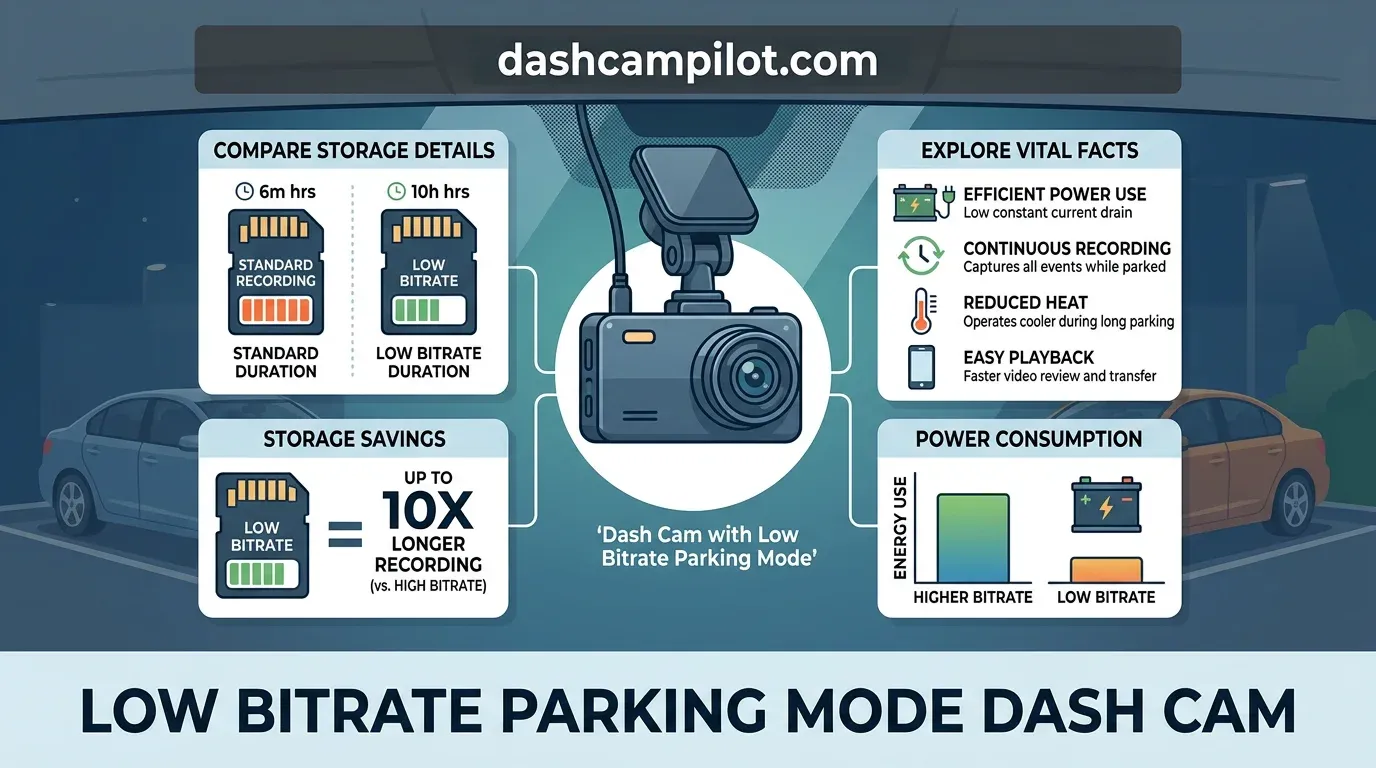
Low bitrate parking recording creates a storage footprint of roughly 1.5 to 3.5 GB per hour per channel. The exact data volume varies by selected bitrate target and whether audio recording is active.
Because the bitrate is heavily throttled compared to normal driving mode, card capacity lasts significantly longer. For example, a 128GB card holds roughly 36 to 48 hours of dual-channel low bitrate footage before overwriting, compared to under 10 hours in standard driving mode.
How to Read This Chart
This reference table illustrates total continuous recording runtimes across standard card sizes. The column values represent total operational hours before the system triggers an overwrite cycle. The ranges account for differences in compression efficiency, user-selected parking bitrates, and audio encoding overhead.
To identify your expected runtime, match your card capacity with your hardware profile. If using both front and rear cameras, read from the dual-channel column. Most dash cams automatically partition card space between driving and parking events; verify your device's specific partition ratios, as dedicated parking partitions limit available space further.
Why High-Endurance NAND Cards Are Mandatory
Because it writes to the card continuously, low bitrate recording requires high-endurance memory cards designed for constant write cycles. Standard consumer cards use basic flash memory intended for intermittent read/write tasks, not continuous data pipelines.
Using a standard consumer microSD card instead of a high-endurance card leads to early card failure from non-stop overwriting. High-endurance cards utilize robust NAND flash controllers capable of surviving thousands of Program/Erase (P/E) cycles under extreme vehicle cabin temperatures.
Continuous recording also alters standard loop recording behavior. When the dedicated parking storage partition becomes full, the dash cam automatically deletes the oldest low bitrate files to make space for fresh clips, ensuring continuous coverage without manual formatting.
Power Consumption and Car Battery Protection Facts
Dash cams operating in low bitrate parking mode draw continuous power, typically consuming between 2 to 4 Watts. The exact electrical load depends primarily on processor system-on-chip (SoC) efficiency and the number of active channels, such as single, dual, or triple-lens configurations.
Because the camera records uninterrupted while the vehicle is parked, a continuous power supply with an automatic low-voltage cutoff switch is necessary to avoid stranding the driver with a depleted 12V starter battery.
Three-Wire Hardwire Kit Installation and Low Voltage Cutoff
Direct hardwiring requires a dedicated three-wire kit connected to the interior fuse panel. This assembly includes an unswitched Constant 12V (B+) lead for continuous recording, a switched Accessory (ACC) lead that detects ignition state changes, and a Ground (GND) wire affixed to bare chassis metal.
Failing to install a hardwire kit with voltage cutoff or setting the cutoff threshold too low (e.g., below 11.8V) will result in a dead vehicle battery. At 11.8V, a standard lead-acid battery is effectively fully discharged and often unable to turn over an internal combustion engine.
Configuring the Low Voltage Cut-off (LVC) to higher limits, such as 12.0V or 12.2V, protects the battery's reserve capacity and extends its operational lifespan.
For example, setting an LVC module to a 12.2V cut-off is essential for preventing battery management system (BMS) error warnings and electrical faults in modern hybrid or European vehicles.
Using Dedicated Dash Cam Battery Packs for Extended Runtimes
Dedicated dash cam battery packs serve as a robust alternative to drawing power from the vehicle's electrical system. These standalone units completely isolate the recording setup from the vehicle's primary starting circuit.
These packs rely on Lithium Iron Phosphate (LiFePO4) chemistry, which provides safe operation under severe cabin heat and survives thousands of deep discharge cycles without degradation.
The battery pack recharges quickly while driving via an ignition-switched connection. Once parked, the pack discharges independently, safely running the camera for 20 to 40 hours while completely preserving the vehicle's 12V starter battery.
License Plate Legibility and Image Quality Limitations
Low bitrate parking mode prioritizes continuous recording time over visual fidelity. Understanding the realistic trade-offs of this capture method prevents surprise when reviewing footage after an incident.
Compression Artifacts and Macroblocking Explained
Aggressive data compression causes macroblocking and loss of fine details, making moving license plates harder to read than in standard recording modes. Video encoders divide the frame into pixel grids, smoothing out high-frequency data to keep bitrates low.
This process results in heavy pixelation and edge blurring on moving subjects. While stationary objects, paint colors, and vehicle makes or models remain readily identifiable, small alphanumeric characters quickly degrade as pixel blocks merge across consecutive frames.
Relative speed dramatically dictates image clarity. For example, you might successfully read the plate of a car backing out slowly at 2 mph, but experience a complete plate smear from a car driving past at 20 mph under low bitrate compression.
Low-light environments compound these compression artifacts significantly. In dark parking lots, high camera sensor noise generates digital grain that consumes bitrate, forcing the encoder to blur the frame further to fit data budgets.
Context and Event Reconstruction vs Forensic Detail
Expecting sharp, freeze-frame legibility of fast-moving license plates ignores the severe compression artifacts inherent to low bitrates. Demanding forensic, optical-character-recognition quality from continuous low-bandwidth files is an unrealistic expectation.
Instead, low bitrate recording excels at establishing incident fault, context, and chronological sequence. It provides uninterrupted coverage showing who struck your vehicle, the direction of impact, pedestrian actions, and overall scene dynamics.
By capturing the entire sequence leading up to and following an event, you preserve conclusive proof of liability for insurance adjusters, even if the offending vehicle's plate requires secondary corroborating evidence.
Optimizing Low Bitrate Parking Mode Dash Cam Settings
Drivers often confuse low bitrate mode with time-lapse mode and expect fast-forwarded silent playback. Low bitrate recording actually preserves continuous, real-time video with active audio, capturing frames at standard playback speeds using reduced data allocation.
Evaluate your parking environment to choose the right standby profile. Busy public lots and urban streets benefit most from continuous low bitrate recording, while isolated, low-traffic garages are better suited for buffered motion mode to conserve microSD rewrite cycles.
G-Sensor Sensitivity Calibration
Parking G-sensors must be calibrated to detect genuine physical contact without triggering false incident locks from high winds, distant construction, or passing transit vehicles. Unchecked false triggers fill emergency storage partitions rapidly, disabling loop protection for real incidents.
For example, setting the parking G-sensor to medium-high sensitivity ensures a routine door ding triggers a write-lock into the RO (Read-Only) directory, preventing the footage from being overwritten by routine low bitrate continuous files.
Voltage Cutoff and MicroSD Maintenance Steps
Set hardwire cutoff switches to 12.0V or 12.2V for standard summer operation. In cold winter months, raise the threshold to 12.4V to offset diminished battery capacity and prevent cold-start failures.
Format your high-endurance microSD card inside the camera every 4 to 8 weeks. Routine formatting refreshes the file allocation table, prevents cluster degradation, and stops write-speed drops during continuous recording.
- ✓ Continuous Surveillance: Unlike motion-activated recording, low bitrate mode records continuously at reduced data rates without missing pre-incident footage.
- ✓ Audio Preservation: Low bitrate capture retains active audio feeds, providing crucial acoustic info during off-camera collisions or break-ins.
- ✓ Efficient MicroSD Utilization: Quadruples recording capacity compared to standard driving modes, allowing a 128GB card to hold up to 48 hours of footage.
- ✓ Battery Protection Facts: Requires a hardwire kit with low-voltage cutoff (typically 12.0V–12.4V) to prevent car battery drainage during parking cycles.
- ✓ Visual Limitations: Heavy compression reduces edge sharpness, which impacts nighttime license plate legibility beyond immediate bumper distances.
❓ Frequently Asked Questions
1 What is a low bitrate parking mode dash cam?
A low bitrate parking mode dash cam is an automotive surveillance system that records continuous video at reduced compression rates while parked. By lowering bitrates to 4–8 Mbps, it captures uninterrupted video and audio, preserving vital incident information and facts while preventing your memory card from filling up rapidly.
2 How does low bitrate recording differ from time-lapse mode?
Time-lapse mode snaps photos at set intervals (such as 1 or 2 frames per second) without capturing sound, creating choppy video. In contrast, low bitrate mode records continuous 30 fps video with full audio compression details, ensuring seamless motion playback and auditory context during hit-and-run events.
3 Can low bitrate parking mode drain a car battery?
Yes, continuous operation draws power constantly, typically consuming 2.5 to 4.5 watts. To prevent battery depletion, you must install a dedicated hardwire kit with voltage cutoff sensors or connect to an external LiFePO4 dash cam battery pack, safely shutting down power when vehicle voltage drops.
4 Are license plates readable in low bitrate parking mode?
License plates are legible at close ranges—typically within one vehicle length directly in front of or behind the lens. However, compression artifacts and lower bitrates soften high-frequency details, making distant or rapidly passing plates harder to resolve compared to standard full-resolution driving modes.
5 How much storage does low bitrate parking recording require?
A typical low bitrate setting consumes between 1.8GB and 3.6GB per hour across dual-channel setups. Valuable storage insights show that a 128GB microSD card generally stores 35 to 60 hours of continuous parked footage before overwriting older files, easily covering a full weekend of unattended parking.
6 What is the difference between time-lapse and low bitrate parking mode?
Time-lapse drops frame rates down to 1-5 fps and produces fast-forward, silent video clips to conserve card space. In contrast, low bitrate parking mode records at normal playback speeds (15-30 fps) with full audio recording, using aggressive video compression instead of dropping frames.