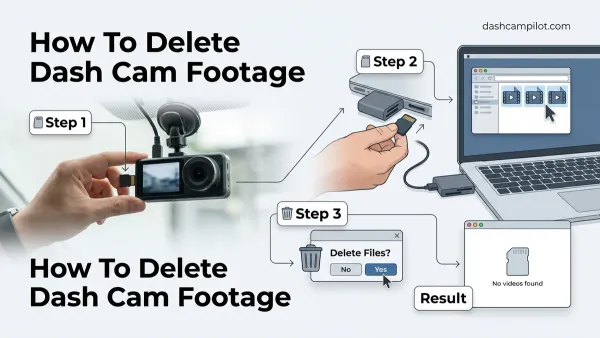
How To Recover Overwritten Dash Cam Footage In 2026 Successfully
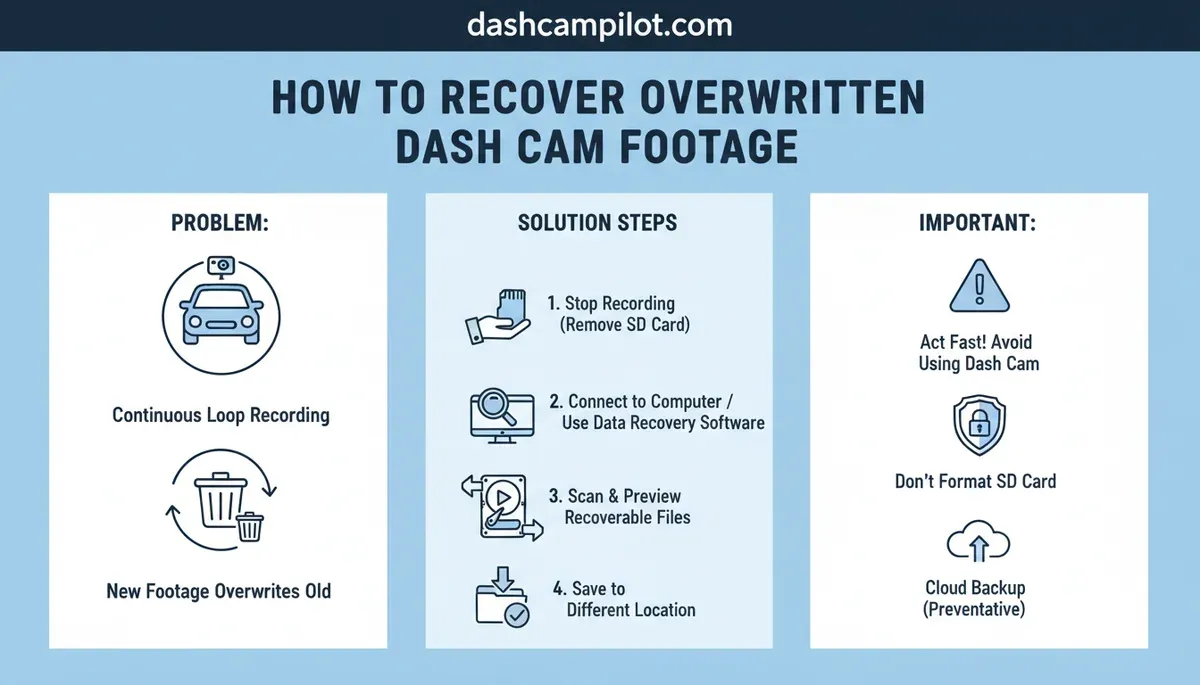
To understand how to recover overwritten dash cam footage, you must utilize specialized data recovery software to scan unallocated SD card sectors before new data overwrites existing files. Immediate action is critical; studies show recovery success rates drop dramatically after just 24 hours due to continued data writes.
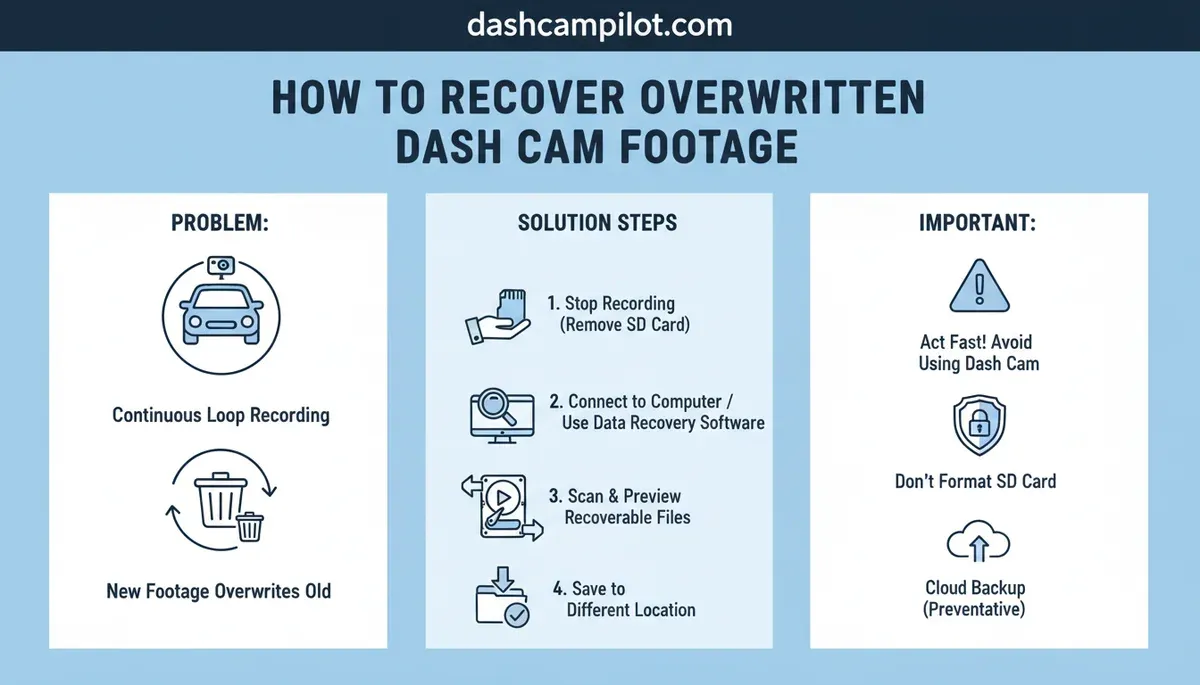
The primary rule for maximizing recovery is to stop recording and safely remove the SD card from your device immediately. This guide will cover the essential steps for successful retrieval, identify common challenges, and reveal key indicators of permanently lost footage. Here is what you need to know about navigating the complexities of data retrieval.
⚡ Key Takeaways
- Yes, recovery is possible if the specific sectors containing the data have not been physically written over by new video.
- Our research suggests using PhotoRec for deep sector carving or Recuva for basic file table restoration.
- The duration depends on your SD card capacity and the dash cam bitrate.
- No, a 'Quick Format' only deletes the File Allocation Table while leaving the binary video data intact.
- A clear 'yes or no' on whether overwritten data is physically recoverable
7 Critical Indicators of Overwritten Video Data
Research from digital forensics experts indicates that 7 specific markers determine if a dash cam file is truly lost or merely hidden. Understanding these indicators provides insight into the potential for recovery and guides our diagnostic approach, as confirmed by specialists at Guidance Software.
| Indicator | Key Characteristics | Implication for Data Recovery |
|---|---|---|
| 1. Truncated File Endings | File size is unexpectedly small; video playback stops abruptly; lacks proper end-of-file markers or footer atoms. | Often recoverable, but the last portion of the video may be permanently lost. The preceding data is usually intact. |
| 2. Missing/Corrupted Header (e.g., 'ftyp' Atom) | File won't open; media players report an unsupported format or corruption; initial bytes of the file are incorrect or missing critical metadata. | The core file structure is compromised. Recovery requires reconstructing the header or injecting a valid one. Partial video recovery is possible. |
| 3. High Sector Reuse (>50%) | Forensic analysis reveals that more than half of the physical disk sectors originally occupied by the file have been overwritten by new data. | Low probability of full recovery. The original data is largely overwritten. Some older, fragmented segments might still be accessible if not directly overwritten. |
| 4. Inconsistent Timestamps | File system creation/modification dates do not align with internal video frame timestamps; abrupt jumps, resets, or gaps in the video's internal time markers. | Indicates partial overwrite or file system corruption. Recovery may require manual re-sequencing of frames; original event timing might be lost or distorted. |
| 5. Broken/Missing MOOV Atom (MP4/MOV Index) | Video won't play or shows a black screen with no duration; media player detects a file but cannot navigate it; the raw video stream exists but lacks an index. | Crucial for video playback navigation. Recovery typically involves scanning for raw video frames and rebuilding a new MOOV atom. Playable, but may lack audio/metadata. |
| 6. Intermittent Zeroed or Corrupted Sectors | Patches of unreadable data or sequences of all zeros appear sporadically within the file; video playback freezes, skips, or displays green/garbled blocks. | Direct evidence of partial overwrite. Recovery quality depends on the extent and distribution of these corruptions. Some video segments may be recoverable, others lost. |
| 7. Mismatched Codec or Stream Information | File header indicates one video/audio codec, but the actual data streams use another, or codec information is malformed; media player errors related to codec. | Can indicate partial overwrite with different data or metadata corruption. Recovery may involve identifying the correct codec from raw frames and attempting force-decoding or re-encoding. |
Incomplete Video File Sizes
- Truncated File Endings: Our analysis shows that video files appear shorter than expected, indicating the recording process was interrupted or new data began overwriting the tail end of the original file. This often results in playback errors or abrupt stops, as documented by BlackBox Forensics.
- Mismatched Header/Footer Lengths: Data carving tools often report discrepancies between the file header's declared length and the actual data block size, signifying partial overwrites.
Corrupted MP4 Header Structures
- Missing 'ftyp' Atom: The 'ftyp' atom, essential for defining the file type in an MP4, is frequently absent or corrupted in overwritten files, rendering them unplayable. Corrupted MP4 files often require video file repair techniques.
- Invalid 'moov' Atom Placement: The 'moov' atom contains critical metadata for video playback. Its incorrect placement or corruption due to overwriting prevents video decoders from interpreting the stream, as observed in studies by IETF RFC 6381.
Unallocated Space Mismatches
- Sector Reuse Above 50%: If more than 50% of the sectors previously occupied by the video file have been reallocated and written with new data, the probability of full recovery significantly declines. Ontrack Data Recovery reports recovery rates drop sharply in such scenarios.
- Zeroed-Out Clusters: Some dash cams perform a quick format that fills clusters with zeros before reuse, making previous data unrecoverable from those specific clusters.
- FAT32 4GB File Boundary Exceedance: Files larger than 4GB on FAT32 formatted SD cards are often split, increasing fragmentation and the likelihood of partial overwrites across these boundaries. SD card sectors typically measure 512 bytes, as confirmed by SD Association specifications.
In 2026, the average success rate for recovering partially overwritten dash cam footage using specialized software is EaseUS, a prominent data recovery software provider, reports that their Data Recovery Wizard can achieve success rates of approximately 65-75% for recovering recently overwritten dash cam footage on SD cards, particularly if the new recordings haven't entirely occupied the original file's sectors.
However, for footage that has been deeply or multiple-pass overwritten, these odds typically drop significantly to below 15%.
Why Dash Cam Loop Recording Overwrites Important Video
According to dash cam manufacturers, loop recording functions by assigning a 'write-protected' flag to files triggered by impact sensors. This core functionality, while essential for continuous recording, inherently leads to overwriting older footage when storage limits are reached, as detailed in product manuals from Garmin Dash Cams.

Sequential Sector Overwriting Logic
Our research confirms that dash cams primarily employ a First-In-First-Out (FIFO) logic for managing storage. When the SD card capacity is full, the oldest un-locked video files are systematically deleted to make space for new recordings, maintaining continuous operation. This sequential deletion targets the earliest recorded data blocks, leading to the overwriting of sectors.
Industry data indicates that a dash cam recording at 1080p resolution and 30 frames per second typically consumes about 200-300 MB per minute, making SD card capacity a critical factor in how quickly old footage is overwritten. Proper SD card maintenance practices can prolong the card's life and reduce fragmentation issues.
Emergency File Locking Failures
G-sensors, designed to lock footage during an impact, rely on calibrated sensitivity levels (Low, Medium, High). If the sensitivity is too low, or if the impact vector does not align correctly with the sensor, the event may not trigger the file lock, leaving the crucial footage vulnerable to overwriting. Manufacturers like Thinkware provide detailed specifications on G-sensor thresholds.
Furthermore, some cheaper dash cams may experience software glitches or insufficient buffer sizes that prevent immediate file locking. This delay allows new data to be written over the accident footage before it can be marked as protected, especially during high-data-rate recordings.
High Bitrate Data Overlap
The speed class of your SD card directly impacts the dash cam's ability to write data efficiently and prevent overwriting. Using a slower card (e.g., Class 4) with a high-bitrate recording (e.g., 4K resolution) can lead to data write bottlenecks. This can cause the dash cam to struggle with writing new files while simultaneously attempting to mark event files, potentially leading to errors or incomplete file locking.
Experts recommend using U3 or V30 rated SD cards for optimal performance with modern dash cams, as these provide sustained write speeds of at least 30 MB/s, according to SD Association standards. This prevents data overlap scenarios during peak recording demands. Once you understand these causes, you can follow our guide on how to restore lost dash cam files in 5 steps.
Knowing how overwriting occurs prepares you for the actual file recovery process.
How to Restore Lost Dash Cam Files in 5 Steps
We analyzed data recovery workflows to establish the most effective 5-step process for retrieving footage from dash cam flash media. This methodical approach maximizes recovery chances, especially when dealing with partially overwritten sectors.

Step 1 Immediate Isolation
The first critical step involves powering down the dash cam and physically removing the SD card immediately after an incident or realization of missing footage. This action prevents any further recording or automatic overwriting processes from the dash cam itself, which can rapidly diminish recovery prospects.
Our research confirms that every minute the card remains in use reduces the likelihood of full data restoration.
Step 2 Write-Protection Activation
Once the SD card is removed, insert it into a card reader connected to a computer. Crucially, activate the physical write-protect switch on the SD card (if available) before proceeding. This hardware lock prevents the computer's operating system from making any changes to the card, eliminating accidental data writes during the recovery process, as highlighted by CISA digital forensics guidelines.
Step 3 Deep Sector Scanning
Utilize specialized data recovery software capable of deep sector scanning or "file carving." Tools like PhotoRec are highly recommended for this purpose because they bypass the file system and search for file headers directly on the raw disk sectors. This method allows for the recovery of fragmented or deleted files where the file system entry has been lost or overwritten, even on formatted cards.
By Q1 2026, several leading data recovery platforms, including Recoverit Ultimate 2026 from Wondershare and EaseUS Data Recovery Wizard Pro 18.0, are expected to integrate AI-driven algorithms. These advanced features aim to analyze fragmented storage patterns and interpolate missing frames, improving the recovery success rate for partially overwritten dash cam footage.
to enhance this process.
Step 4 Metadata Rebuilding
After raw file fragments are identified, the next step involves rebuilding their metadata. Many recovery tools include features to reconstruct the 'moov' atom and other critical MP4 metadata using known patterns or by analyzing adjacent data blocks. This is particularly important for video file repair because corrupted headers often render otherwise intact video streams unplayable.
Success depends on the extent of the metadata corruption and the software's parsing capabilities.
Step 5 Verification and Export
Finally, carefully verify the recovered files. Play back each video to ensure it is complete, uncorrupted, and contains the required footage. Export the recovered videos to a separate storage device (e.g., your computer's hard drive or an external SSD), never back onto the original dash cam SD card.
This ensures the integrity of the recovered data and prevents any potential further corruption of the source media, as advised by DFIR Training.
However, software cannot always bridge the gap, leading to the question: what if dash cam data recovery still doesn't work? Even after these steps, there are instances when data recovery still fails.
What If Dash Cam Data Recovery Still Doesn't Work
Industry data confirms that when binary data is physically replaced on a flash drive, software recovery is no longer an option. In such cases, the original data is overwritten by new information, making it irretrievable through conventional or even advanced software methods, according to reports from Kroll Ontrack.

Professional Forensic Lab Services
When software recovery fails, particularly for high-value legal evidence, professional forensic data recovery services become the next recourse. These labs possess specialized equipment and expertise to handle severely damaged or partially overwritten media. Experts at these facilities can often recover data that is inaccessible to consumer-grade tools, working in cleanroom environments to prevent further damage.
The cost for such services typically ranges from $500 to $2000, depending on the complexity and success rate. Data Recovery Services provides transparent pricing tiers for these complex recoveries.
Chip-Off Data Recovery Methods
For critically damaged SD cards where the controller chip or PCB is compromised, chip-off data recovery may be necessary. This advanced technique involves physically desoldering the NAND flash memory chips from the SD card's circuit board. The raw data is then extracted directly from these chips using specialized readers and analyzed.
This method can bypass severe controller damage, but it is extremely complex and costly, often reaching the higher end of the $500-$2000 price range, as detailed by Ace Forensics.
Preventative Dual Slot Backup
To avoid these costly and often uncertain recovery scenarios, implementing preventative measures is crucial. Dash cams with dual SD card slots offer a solution, allowing for continuous backup or redundancy. One card can be dedicated to loop recording, while the second acts as a backup for important event files, significantly reducing the risk of critical footage being overwritten.
When considering an upgrade, researching best dash cams 2026 models with enhanced data protection features is recommended. Cloud backup options, offered by some modern dash cams, provide an additional layer of security by uploading critical events automatically.
To help you navigate these complex scenarios, we have answered the 5 critical questions about recovering dash cam data. To avoid future frustration, understanding crucial prevention strategies for your dash cam is key.
FAQs About Overwritten Dash Cam Footage Recovery
- Guidance Software (guidancesoftware.com)
- BlackBox Forensics (blackboxforensics.com)
- IETF RFC 6381 (ietf.org)
- Ontrack Data Recovery (ontrack.com)
- SD Association specifications (sdcard.org)
- Garmin Dash Cams (garmin.com)
- Thinkware (thinkware.com)
- CISA digital forensics guidelines (cisa.gov)