How Many Gb For Dash Cam Specification Chart By Year (2026 Updated)
Quick Answer
Most modern dash cams require between 64GB and 256GB of storage. A single-channel 1080p camera runs efficiently on a 64GB card (yielding approximately 7 to 9 hours of footage), whereas dual-channel or 4K dash cams require a minimum of 128GB to 256GB (yielding 6 to 12 hours). The primary caveat is hardware compatibility: you must verify the maximum rating specified in your camera manufacturer's factory specification manual.
A reliable dash cam setup requires between 64GB and 256GB of storage capacity for general driving, expanding up to 512GB for multi-channel 4K camera systems. For a standard single-channel 1080p camera, a 64GB MicroSD card provides roughly 7 to 8 hours of continuous footage before overwriting, whereas a dual-channel 4K system exhausts 64GB in under 2.5 hours. The most critical operational caveat: dash cams write data continuously in high-heat automotive environments, meaning overall capacity is useless if the card lacks a High Endurance rating and matching host controller firmware support.
This reference guide covers dash cam architectures across release model years 2020 through 2026, tracking single, dual, and triple-channel setups across Full HD (1080p), Quad HD (1440p/2K), and Ultra HD (4K) recording resolutions. Write speeds, bitrates, and hardware controller constraints have been cross-referenced with manufacturer technical white papers and field longevity benchmarks. Always verify the maximum supported card size in your specific dash cam owner's manual before installing cards larger than 128GB. Last reviewed: October 2026.

How Many GB for Dash Cam by Model Year: Master Specification Chart
Dash cam storage requirements have evolved dramatically over recent model years. While older hardware relied on low-bitrate H.264 compression with strict controller ceilings, modern platforms leverage efficient H.265 (HEVC) codecs and advanced System-on-Chip (SoC) architectures that comfortably address high-density MicroSDXC media.
Data Scope and Hardware Verification Standards
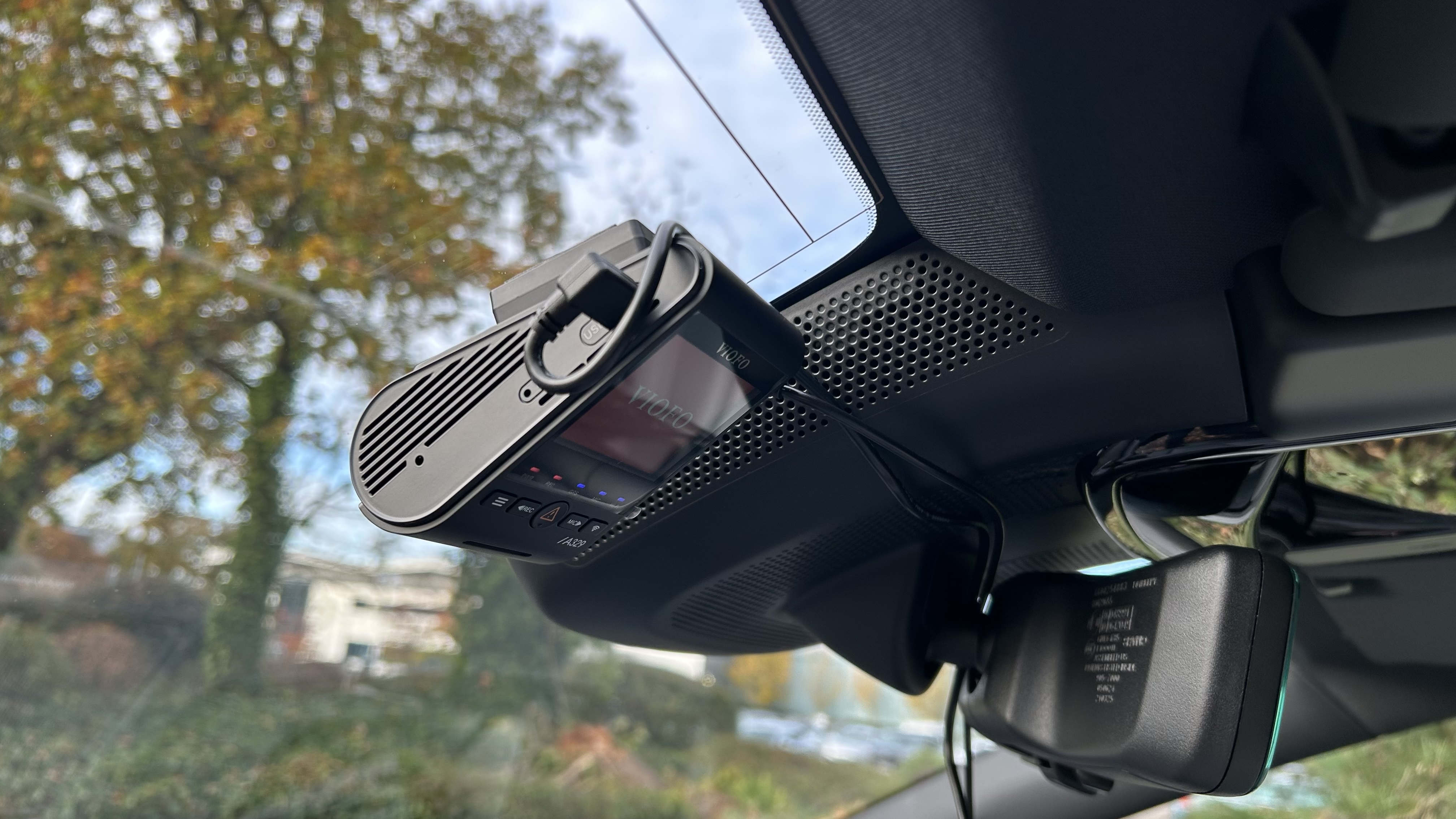
When sizing your dash cam memory card size, camera hardware acts as the primary gatekeeper. A dash cam's system processor, internal memory card controller, and filesystem drivers dictate the supported maximum card size. Legacy units manufactured with SDHC controllers cannot recognize cards beyond 32GB natively without custom FAT32 formatting, whereas modern SDXC-compliant units handle 128GB, 256GB, and 512GB exFAT storage pools without system degradation.
Dash Cam Memory Card Capacity Specification Table (2020–2026)
How to read this chart: Identify your dash cam's production release year range and channel configuration. The "Factory Specification Capacity Range" reflects hardware-tested compatibility boundaries, while "Value" indicates actual cumulative drive time stored before the camera begins overwriting loop recording buffers.
| Year | Model / Engine Option (Resolution Class) | Specification (Capacity Range) | Value (Recording Time) | Notes |
|---|---|---|---|---|
| 2020 | Single-Channel 1080p Full HD (H.264) | 32GB – 64GB | ~4 to 8 hours | Firmware commonly limited to FAT32; 64GB cards require special format tool. |
| 2021 | Dual-Channel 1080p Front + 1080p Rear | 64GB – 128GB | ~5 to 9 hours | Total bitrate doubled (24–30 Mbps combined). Class 10 / U1 minimum rating. |
| 2022 | Single-Channel Native 4K UHD (H.264 / H.265) | 64GB – 256GB | ~3 to 12 hours | At 30 Mbps, 64GB yields ~4.5 hours. Requires U3/V30 write speed certification. |
| 2023 | Dual-Channel 4K Front + 1080p Rear | 128GB – 256GB | ~6 to 11 hours | H.265 compression becomes standard; exFAT native support across tier. |
| 2024 | Triple-Channel (4K Front + 1080p Cabin + 1080p Rear) | 128GB – 256GB | ~5 to 10 hours | Writes roughly 350–450 MB/min across 3 simultaneous streams. |
| 2025 | Dual 4K (4K Front + 4K Rear with HDR) | 256GB – 512GB | ~8 to 16 hours | High bus speed requires V30 / A2 rated endurance flash. |
| 2026 | AI Multi-Channel 4K + Cloud Connected Edge | 256GB – 512GB | ~10 to 20 hours | Buffered parking telemetry, local AI clip segmentation, and 512GB controller validation. |
*Footnote: Values are estimates based on standard variable bitrates using H.265 encoding where applicable. Real-world recording time varies based on scene complexity, driving conditions, and audio capture settings.
Consult the manufacturer manual to identify the factory maximum supported card size before exceeding 128GB.
For every secondary lens (interior cabin or rear window), cut the effective single-camera recording duration by 40% to 50%.
Verify the card features a U3 or V30 logo to prevent buffer bottlenecks during high-bitrate emergency write operations.
Always format new MicroSD cards inside the camera unit rather than on a PC to align block cluster allocations.
Year-by-Year Capacity Range and Processor Hardware Evolution
The leap from low-capacity cards to multi-hundred-gigabyte storage arrays is directly tied to the evolution of dash cam System-on-Chip (SoC) hardware and integrated image signal processors (ISPs). Processor limits set the absolute ceiling on memory card compatibility.
2020–2022: 32GB to 64GB Limits in Legacy H.264 Platforms
Between 2020 and 2022, the dash cam market was dominated by legacy Ambarella (such as the A12 series) and entry-level Novatek processors. These image processors relied heavily on the older H.264 (AVC) compression standard, which encoded 1080p video at relatively inefficient bitrates (12 to 18 Mbps) while restricting host controller interfaces to the SDHC standard. As a result, cameras natively supported a maximum card size of 32GB or 64GB. Users attempting to mount 128GB or 256GB SDXC cards frequently encountered "Card Error" prompts, file corruption, or system lockups because the camera's internal firmware lacked modern exFAT licensing and addressing registers.
2023–2024: 128GB Mainstream Adoption and HEVC Encoding
The transition period across 2023 and 2024 brought dual-core processors from Novatek (NT96670 series) and SigmaStar into mass production. These platforms introduced hardware-accelerated H.265 (HEVC) encoding alongside 64-bit memory addressing. HEVC shrunk video file sizes by roughly 30% to 40% at equivalent visual quality, allowing dual-channel 2K and 4K configurations to operate without thermal throttle. Concurrently, native SDXC controller integration made 128GB and 256GB MicroSD cards the mainstream industry recommendation, providing drivers with complete workday coverage on a single memory card.
2025–2026: Multi-Channel 4K and 512GB High-Capacity Standards
The 2025–2026 generation of automotive dash cams integrates quad-core neural processing units (NPUs) and multi-stream ISPs engineered to handle 4K front plus 4K or 2K rear channels simultaneously. Leading architectures now incorporate high-speed UHS-I DDR200 bus interfaces capable of sustaining continuous multi-camera writes exceeding 40 MB/s. To accommodate the immense data overhead generated by simultaneous front, rear, and interior video streams—combined with buffered parking mode telemetry—manufacturers have updated firmware limits to officially validate and certify 512GB MicroSDXC storage cards.
How Many GB for Dash Cam Setups: 1080p, 4K, and Multi-Channel
Choosing the right capacity hinges on camera resolution and channel architecture. The data stream requirements scale rapidly as additional optical sensors are mounted to your vehicle.
Single-Channel 1080p: The 64GB Commuter Baseline
- Bitrate Load: Standard 1080p Full HD at 30 frames per second operates at a steady bitrate of 10 to 16 Mbps (~75 to 120 MB per minute).
- Duration on 32GB: A 32GB card yields roughly 3.5 to 4 hours of total footage before engaging loop overwrite. For daily round-trip commuters, this window is too narrow if an incident occurs early in the morning and is not retrieved before the evening drive.
- Why 64GB is Standard: Installing a 64GB card extends loop retention to approximately 7 to 8 hours, delivering 2 to 4 full days of normal 45-minute commuting before cycling over previous video clips.
Dual-Channel Front and Rear: The 128GB Modern Standard
- Bitrate Load: Running a dual-channel camera (e.g., 2K front + 1080p rear, or dual 1080p) roughly doubles the constant write requirement to 20–28 Mbps (~150 to 210 MB per minute).
- Capacity Depletion: A 64GB card in a dual-channel camera fills in less than 4.5 hours of active driving. A 32GB card is exhausted in roughly 2 hours, subjecting flash cells to rapid overwrite cycles that drastically degrade card life.
- The Sweet Spot: A 128GB High Endurance card delivers 8 to 10 hours of comprehensive front-and-rear video coverage, ensuring weekend trips or full eight-hour rideshare shifts are preserved securely.
Triple-Channel and Native 4K: The 256GB to 512GB Heavy-Duty Tier
- Massive Data Throughput: True 4K Ultra HD (3840x2160) at 30 fps requires bitrates between 25 and 35 Mbps per channel. When paired with interior cabin and rear cameras, total data generation jumps to 350MB to 450MB per minute.
- Rapid Buffer Overwrite: On a 64GB card, a triple-channel 4K system runs completely out of fresh storage space in roughly 2.3 hours. On 128GB, retention averages just under 5 hours.
- The Enterprise Standard: For commercial transport, taxi/rideshare fleets, or enthusiasts running native 4K multi-lens cameras, 256GB to 512GB is non-negotiable. A 256GB card yields 9 to 11 hours of multi-channel 4K capture, while 512GB expands continuous retention to roughly 20 hours.
What Affects Dash Cam Card Size and Loop Recording Retention
The math governing dash cam storage goes beyond video resolution. Operational configurations—specifically file structures, event locking thresholds, and parking surveillance algorithms—dictate how quickly your available gigabytes disappear.
Loop Recording Mechanics and Codec Bitrate Overhead
Dash cams record video in discrete segment blocks (typically 1-, 3-, or 5-minute clips). When the flash storage reaches capacity, the firmware automatically identifies the oldest unflagged file, unlinks the sector, and writes the new clip in its place. However, the compression codec heavily influences this consumption rate. Legacy H.264 encoding produces significantly larger file containers compared to H.265. Complex high-motion scenes—such as driving at highway speeds through heavy rain or dense tree canopies—force variable bitrate encoders to elevate data rates, depleting storage up to 25% faster than stationary or slow urban traffic.
If your dash cam menu features a toggle between H.264 and H.265 (HEVC), select H.265. It provides equivalent image fidelity while reducing file sizes by up to 35%, effectively giving a 128GB card the recording retention of a 170GB storage volume.
Emergency G-Sensor Event File Locking
Modern dash cams feature internal 3-axis G-sensors designed to detect collisions, harsh braking, and sudden impacts. When triggered, the current video chunk is tagged as "Emergency" or moved into a dedicated read-only folder (e.g., /EVENT or /RO). These locked files are immune to loop overwriting.
If your camera's G-sensor sensitivity is set too high, standard road occurrences—such as potholes, speed bumps, railroad tracks, and aggressive cornering—will falsely trigger event locks. Over several weeks of driving, twenty locked 3-minute clips from a dual 4K camera can hoard over 10GB of storage. If the partition fills up without periodic formatting, the camera either begins dropping frames, generates storage allocation errors, or refuses to lock legitimate accident footage.
Parking Mode Storage Consumption Profiles
Vehicle owners utilizing hardwired parking surveillance must account for continuous power draw and data write cycles while the vehicle is stationary. Parking modes generally utilize three distinct recording profiles:
Captures video at 1 or 2 frames per second without audio. Extremely storage-efficient, consuming less than 1.5GB per 12 hours of parking. Ideal for cards sized 64GB to 128GB.
The camera stays in low-power standby until optical motion or shock triggers a 30-second clip. In busy city parking garages, constant motion triggers can consume 10GB–20GB overnight.
Writes continuous video stream at full resolution to a RAM buffer, saving pre-roll footage upon impact. Consumes identical storage to active driving (~15GB/hr on dual-channel setups).
Maximum Rating Limits: High Endurance, Speed Class, and Firmware
Installing a massive 512GB card does not guarantee reliability if the underlying flash memory cannot survive continuous rewrite stress. Memory cards intended for digital cameras or smartphones will quickly fail when subjected to vehicular duty cycles.
NAND Flash Memory and High Endurance Write Cycles
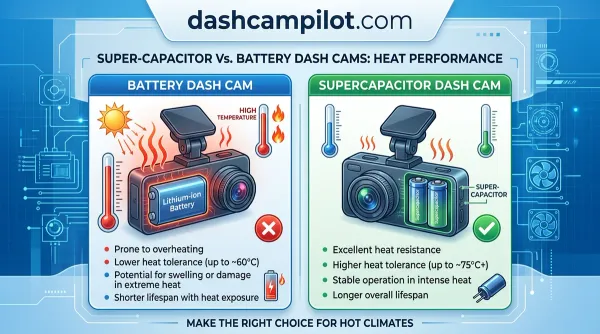
Standard consumer MicroSD cards utilize Triple-Level Cell (TLC) or Quad-Level Cell (QLC) NAND flash memory architectures paired with inexpensive consumer-grade controller algorithms. In dash cams, flash cells undergo relentless, non-stop Program/Erase (P/E) cycles inside hot windshield enclosures that routinely reach 140°F (60°C). Under these conditions, standard consumer cards typically suffer sector degradation, memory controller lockup, or total read-only bricking within 3 to 6 months.
By contrast, High Endurance MicroSD cards leverage industrial-grade TLC or Multi-Level Cell (MLC / pSLC) NAND flash combined with advanced wear-leveling firmware. A verified High Endurance card is warrantied for between 10,000 and 40,000 hours of continuous write cycles. Standard consumer cards explicitly void manufacturer warranties if installed in dash cams or surveillance systems.
📋 Step-by-Step Card Maintenance Routine
Ensure your card features the UHS Speed Class 3 (U3) or Video Speed Class 30 (V30) designation on the label. This guarantees a sustained minimum sequential write speed of 30 MB/s, preventing dropped frames or sudden buffer overflows on 4K and multi-channel streams.
Insert the new card into the dash cam MicroSD slot with the vehicle turned off. Boot the camera, navigate to the system settings menu, and execute the Format SD Card command. This establishes the exact partition cluster sizes required by your camera's operating firmware.
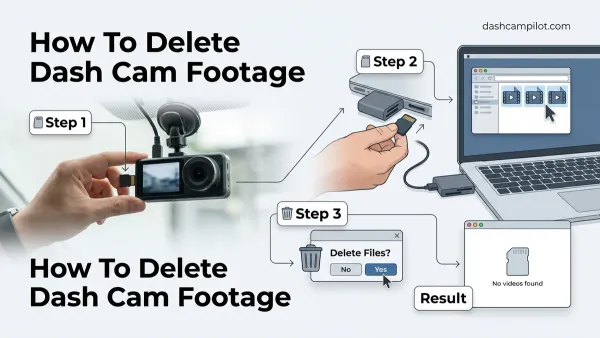
Reformat your MicroSD card directly in the camera every 30 to 60 days. This flushes orphaned G-sensor locked files, resets the master file allocation table, and allows the flash controller to clear corrupt blocks, preventing memory failures before they occur.
By The Numbers: Dash Cam Memory Benchmarks
How Many GB for Dash Cam Questions Answered
Can I use a 512GB or 1TB card in any dash cam?
No. Dash cams have hardware-level capacity ceilings dictated by their processor and firmware. Many units released prior to 2023 only support cards up to 128GB or 256GB. Inserting an unsupported 512GB or 1TB card will trigger memory initialization errors, file save failures, or cause the camera to repeatedly reboot.
What happens when the dash cam memory card gets full?
Due to continuous loop recording, a dash cam never stops recording when full. Once all available gigabytes are consumed, the camera automatically deletes the oldest unprotected video clip to create storage space for the newest file. However, G-sensor locked emergency clips will not be deleted, requiring occasional manual formatting.
Is a 32GB card enough for a dash cam?
A 32GB card is functional only for basic single-lens 1080p cameras used on brief commutes. It holds roughly 3.5 to 4 hours of video. On dual-channel or 4K cameras, a 32GB card fills in under 2 hours, resulting in rapid overwrite cycles that degrade card longevity and risk erasing critical footage before you can save it.
Why do dash cams require High Endurance cards?
Unlike phones or digital cameras that write files intermittently, dash cams write video continuously for hours under extreme automotive heat and cold. High Endurance cards utilize specialized flash cells (MLC or premium TLC) and robust firmware controllers engineered to withstand thousands of continuous overwrite cycles without cell burnout.
Selecting the right dash cam storage comes down to a balance of camera channels, recording resolution, and hardware write endurance. For single-channel 1080p commuter vehicles, a 64GB card serves as your reliable baseline. For modern dual-channel front-and-rear systems, step up to a 128GB card to secure 8 to 10 hours of loop history. For triple-channel setups, native 4K rigs, or continuous parking surveillance, deploy 256GB to 512GB. Always pair your camera with a certified U3 / V30 High Endurance MicroSD card and execute an in-camera format every 30 to 60 days to keep your system performing flawlessly.