Dash Cam Cloud Subscription Costs 2026 Real Pricing Guide
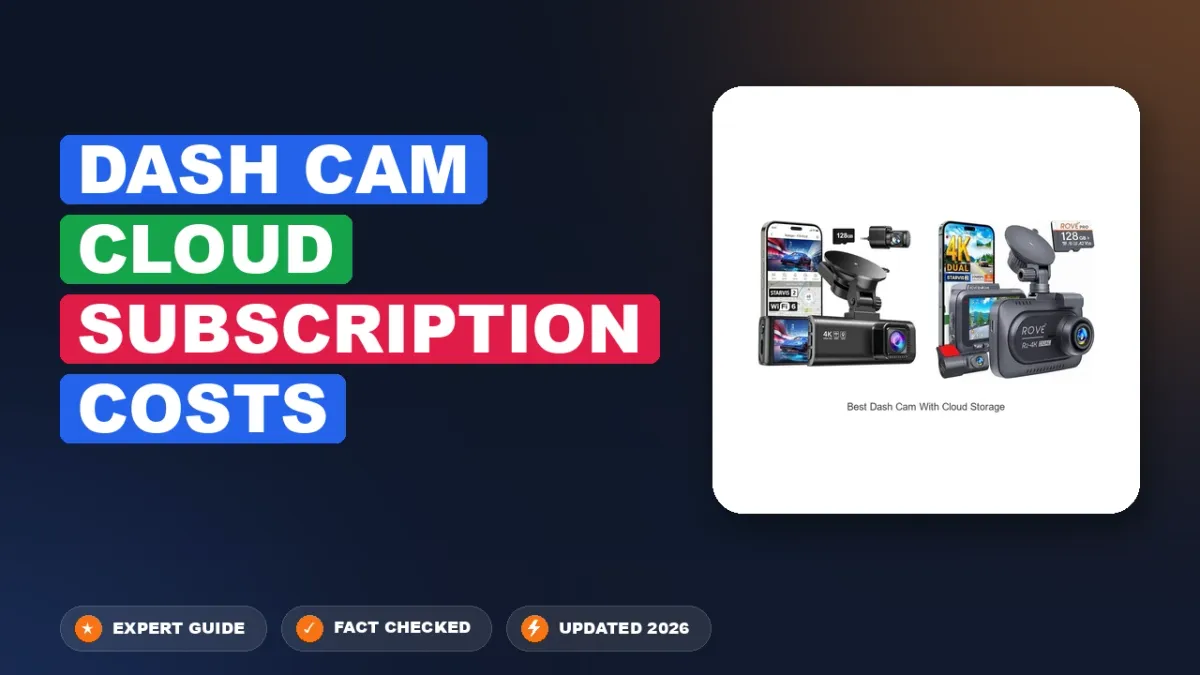
Dash cam cloud subscriptions in 2026 cost between $3 and $35 per month, translating to roughly $35 to $360 per year. The exact price you pay depends almost entirely on one factor: whether the plan covers just cloud storage software or bundles cellular LTE/5G connectivity. If you buy a hardware unit without reading the fine print, you can easily spend more on monthly fees over two years than you spent on the camera itself.
Budgeting for these recurring fees is critical before you buy hardware. A $250 dash cam paired with an all-inclusive $25 monthly cloud package ends up costing you over $1,150 across a typical three-year ownership cycle. Knowing where software fees end and cellular data charges begin prevents you from overpaying for bandwidth you will never use.
Key Takeaways
- Cloud subscriptions average $4 to $15 monthly, while LTE live view plans reach $25 to $35.
- Brands like Garmin and Nextbase offer free 24-hour vaults, but 30-day retention requires paid tiers.
- LTE dash cams often demand separate third-party SIM data plans costing an extra $5 to $15 monthly.
- Calculate total cost of ownership by adding hardware, cloud fees, and data plans over three years.
- High-endurance microSD cards eliminate recurring cloud fees for drivers needing only incident loop recording.
What Drives Up Dash Cam Cloud Subscription Costs and Unexpected Hidden Fees
Cloud pricing is rarely as simple as paying a single flat rate. Manufacturers separate their fees across multiple service layers, making base tiers look cheap while locking core functionality behind premium upgrades.

Cellular Data vs. Software-Only Subscriptions: The Dual-Fee Trap
The biggest cost divide in 2026 comes down to pipeline versus storage. Brands like BlackVue and Thinkware offer proprietary cloud portals, but many of their cameras require you to supply an active internet connection. You face two distinct expenses:
- Cloud platform fee: The dash cam brand charges $4 to $12 per month to access remote live view, push notifications, and remote clip downloads on their app.
- Cellular data fee: A third-party carrier (like AT&T or T-Mobile) charges $10 to $20 per month for a dedicated IoT or tablet SIM card to give the camera an internet connection.
- All-in-one bundled plans: Brands like Nextbase (iQ series) or Nexar bundle connectivity and storage into a single bill ranging from $10 to $28 per month, eliminating third-party SIM hassles but locking you into non-negotiable carrier rates.
Data Caps, Live-View Metering, and Storage Retention
Even premium plans come with restrictive caps that trigger sudden expenses or cut off functionality mid-month:
- Remote live-view limits: Most entry-level tiers only give you 10 to 30 minutes of remote live-streaming per month. Heavy remote check-ins demand top-tier plans costing $20+ monthly.
- Storage duration: Free tiers often wipe your incident files after 24 to 72 hours. Extending clip retention to 30 or 90 days usually pushes you into a paid tier.
- Dual-channel bandwidth penalties: If you run a front-and-rear 4K setup, uploading dual high-bitrate clips burns through monthly high-speed data buckets quickly, forcing cameras to compress videos to standard definition or throttle uploads entirely.
Dash Cam Cloud Subscriptions Made Easy: Your Essential Action Plan
Investing in a cloud-connected dash cam provides invaluable real-time security, remote live viewing, and instant incident backup. However, recurring subscription tiers, LTE data charges, and storage limitations can quickly inflate the lifetime cost of your device. Following this systematic plan will help you audit your storage needs, navigate manufacturer rate tiers, avoid carrier overage fees, and minimize ongoing expenses without sacrificing critical video protection.
Step 1: Calculate Video Resolution and Storage Retention Needs
What you need: Camera specifications manual, estimated weekly driving hours, memory card capacity sheet.
Instructions: Determine how much footage you realistically need to archive. High-resolution 4K video consumes roughly 250 megabytes per minute, while 1080p Full HD consumes approximately 80 megabytes per minute. Dash cam cloud providers like Nextbase, Garmin, and BlackVue categorize their monthly pricing based on video clip retention (e.g., 7 days, 30 days, or unlimited) and raw cloud capacity (typically 5GB to 100GB). If you commute five hours per week and only require insurance-grade evidence, opt for an "event-only" tier that uploads 20- to 30-second impact clips rather than continuous driving footage. Continuous cloud streaming plans run between $15 and $30 monthly, whereas event-based retention averages $3 to $10 monthly.
Pro Tip: Never pay for high-tier long-term cloud retention if your dash cam supports high-endurance local microSD cards up to 256GB; keep your daily files local and use the cloud purely for critical incident backups.
Step 2: Compare OEM Bundles Against Bring-Your-Own SIM Data Plans
What you need: Dash cam cellular specifications (eSIM vs. physical nano-SIM slot), mobile carrier pricing portals.
Instructions: Distinguish between the dash cam vendor's cloud service fee and the cellular network connectivity fee. Certain models (like the Nextbase iQ) feature integrated eSIMs where LTE connectivity and cloud services are combined into a non-negotiable bundle ranging from $9.99 to $19.99 monthly. Other systems (such as the BlackVue DR970X LTE or Thinkware T700) feature open nano-SIM slots allowing you to bring your own carrier. Review your personal cell provider's shared data or IoT (Internet of Things) add-on lines; adding an IoT data SIM with 2GB of pooled monthly data via carriers like T-Mobile or AT&T often costs just $5 to $10 per month, significantly undercutting proprietary hardware manufacturer plans.
Pro Tip: Avoid buying standard prepaid smartphone voice-and-text SIM cards for an open dash cam slot, as many carriers actively block SIMs on non-phone IMEIs; specifically request an M2M (Machine-to-Machine) or IoT data-only card.
Step 3: Calibrate G-Sensor Triggers to Eliminate Bandwidth Overage Fees
What you need: Dash cam smartphone companion app, flat testing road surface, firmware update utility.
Instructions: Modern cloud subscriptions often institute monthly upload caps or bandwidth throttling once you exceed 10GB to 20GB of data transfer. Overly sensitive G-sensor settings cause the dash cam to interpret minor potholes, railway tracks, and heavy bass from your car stereo as "collisions," prompting unnecessary high-priority cloud uploads over metered cellular networks. Open your camera app's sensor settings and adjust the driving G-sensor sensitivity from the default setting down to a medium-low threshold (roughly 0.4g to 0.6g of force). Drive over regular terrain to verify the system records locally without flashing the cloud upload indicator.
Pro Tip: Enable buffered parking mode uploads instead of continuous parking time-lapses to prevent your camera from consuming your monthly LTE cloud allowance while parked in heavy pedestrian zones.
Step 4: Configure Driveway Wi-Fi Offloading as a Free Cloud Alternative
What you need: Home Wi-Fi network (2.4 GHz or 5 GHz), Wi-Fi range extender or mesh node near your garage or driveway.
Instructions: Many cloud-capable cameras (such as Thinkware Connected and BlackVue Over the Cloud) allow you to configure multiple network priority profiles. Program your camera to recognize your home Wi-Fi SSID with priority over its cellular module. When you park within range of your home, the dash cam will automatically bridge to your home broadband. You can program routine non-emergency clips and daily travel logs to synchronize over your domestic internet to a local computer, NAS drive, or free personal cloud folder (like Google Drive). This strategy lets you subscribe to the vendor's free or entry-level cloud tier since high-bandwidth routine uploads bypass commercial cellular networks entirely.
Pro Tip: If your garage signal drops below -75 dBm, mount an inexpensive Wi-Fi repeater on the nearest interior wall; poor signal causes connection timeouts that force the camera back onto expensive cellular connectivity.
Step 5: Leverage Annual Billing and Multi-Camera Fleet Discounts
What you need: Manufacturer web portal access, multi-vehicle account dashboard, commercial/family promotional codes.
Instructions: Bypassing the native iOS App Store or Google Play Store billing portal can yield immediate savings. App store in-app purchases frequently incur higher retail prices to cover platform fees (15% to 30%). Navigate directly to the hardware vendor's browser-based account portal to evaluate subscription plans. Switching from month-to-month billing to an annual pre-paid commitment typically provides a 15% to 25% discount. If you are outfitting two or more family cars or commercial service vehicles, look for "Multi-Cam" or "Fleet" tiers. For instance, linking three single cameras under a consolidated family business account often costs $18 to $22 per month total, compared to paying $10 per month for three separate consumer subscriptions.
Pro Tip: Always register directly using the web browser dashboard first, then log in via the mobile app afterward to lock in web-only discount structures.
Step 6: Establish Data Usage Limits and Expiration Safeguards
What you need: Account settings page, calendar reminder app, automated email notification alerts.
Instructions: Log in to your cloud subscription management dashboard and establish hard upload ceilings. Most platforms allow you to set an alert at 80% usage and an automatic hard cut-off at 100% of your allocated monthly tier. Enabling this safeguard guarantees you will never be hit with automatic per-gigabyte overage fees, which can run as high as $5 to $15 per excess gigabyte. Next, verify your payment method settings. Turn off automatic tier-jumping, an aggressive vendor feature that automatically bumps you to the next expensive storage tier if an extended road trip generates higher-than-average event clips.
Pro Tip: Set a recurring calendar reminder 45 days prior to your annual subscription renewal date to review actual data usage and downgrade your tier if you consistently use less storage than budgeted.
✅ Final Checklist
- Video resolution and retention days are aligned with actual insurance needs rather than continuous storage.
- Cellular connection type (built-in eSIM vs. third-party IoT SIM) is evaluated for the lowest ongoing monthly rate.
- Driving and parking G-sensor sensitivities are calibrated to eliminate false-trigger cloud uploads.
- Home driveway Wi-Fi offloading is established to minimize metered cellular transmission.
- Account is registered via web browser to bypass mobile app store surcharges and apply annual discounts.
- Data caps and overage auto-lock mechanisms are activated within the vendor dashboard.
Important Notes:
- Electrical System Impact: Cloud-connected dash cams with active 4G/LTE standby draw between 250mA and 450mA in parking mode. Always pair your cloud camera with a dedicated LiFePO4 dash cam battery pack or a voltage-cutoff hardwire kit set to at least 12.2V to prevent vehicle battery drain.
- Professional Installation: If you are integrating third-party external LTE modems or secondary battery backup systems, consult a certified MECP (Mobile Electronics Certified Professional) to prevent improper splicing into vehicle CAN bus wiring.
- Estimated Project Costs: Cloud subscription software: $3 to $15 per month. Cellular data service: $5 to $20 per month. Annual total operating cost: $96 to $300 per vehicle depending on camera brand, resolution, and offloading methods.
How to Compare and Choose Dash Cam Cloud Plans: A Step-by-Step Budget Guide
Selecting the right subscription requires matching your daily driving and parking habits against the carrier requirements of the hardware. Use this step-by-step strategy to keep your recurring costs under control.
Step 1: Audit Your Connectivity Environment
You do not need an expensive cellular subscription if your vehicle spends nights within reach of your home Wi-Fi network. Dash cams with automatic Wi-Fi auto-sync can back up event files to a local server or cloud drive for $0 per month once you pull into your driveway. Reserve dedicated cellular subscriptions exclusively for vehicles parked on public streets, unattended fleet lots, or high-incident urban zones.
Step 2: Decide Between Built-In eSIM and Bring-Your-Own-SIM (BYO-SIM)
Cameras with built-in eSIM chips offer simple setup through the manufacturer app, but you cannot switch networks if coverage is poor. A BYO-SIM slot lets you add a line to your existing shared family plan for as little as $10 per month, saving you $100 to $180 annually compared to pre-packaged OEM data subscriptions.
Step 3: Run the 36-Month Total Cost of Ownership (TCO) Calculation
Never compare dash cams on hardware retail price alone. Calculate your long-term expense using this basic formula before committing to an ecosystem:
- Hardware cost: Camera, hardwire power kit, and high-endurance microSD card.
- Software platform cost: Annual cloud app fee multiplied by three.
- Data cost: Monthly carrier charge (or bundled subscription charge) multiplied by 36.
Evaluating your setup over a three-year period exposes which systems provide authentic value versus those relying on predatory subscription lock-in.
Real Brand-by-Brand Price Breakdown: Garmin, BlackVue, Nextbase, and Thinkware
Dash cam cloud costs vary substantially across major manufacturers in 2026. Most brands split their software access from underlying cellular data plans.
Garmin Vault
Garmin relies on Wi-Fi connectivity for its baseline cloud, dubbed Garmin Vault. The system automatically stores secure video clips online for 24 hours at no charge. The Standard Vault plan costs $4.99 per month, extending cloud retention to 7 days. The Advanced Vault plan costs $9.99 per month or $99.99 annually, providing 30 days of secure storage. LTE-enabled Garmin devices require a separate cellular connectivity plan starting at $9.99 monthly.
BlackVue Cloud
BlackVue offers a tiered ecosystem tailored to single drivers and fleet operators. The Free tier supports one registered dash cam with 10 minutes of daily Live View and 5GB of storage. The Basic plan costs $3.99 per month, increasing Live View to 30 minutes daily. The Smart plan runs $7.99 per month, unlocking unlimited Live View and multi-camera support. Dedicated LTE models require a BlackVue SIM card, which costs between $10.00 and $20.00 per month depending on selected data allotments.
Nextbase iQ Cloud
The Nextbase iQ platform relies on integrated 4G LTE connections managed directly through the Nextbase app. The entry-level Solo tier provides essential real-time notifications for free over Wi-Fi. The Protect tier costs $9.99 monthly ($99 annually) and includes 30 days of cloud storage and automated incident backup. The Protect Plus plan costs $19.99 monthly ($199 annually), adding live vehicle tracking, Emergency SOS dispatch, and Smart Sense parking features.
Thinkware Connected
Thinkware offers basic cloud telematics for free on compatible Wi-Fi and connected models. Real-time vehicle location, impact notifications, and geofencing require no monthly fee. For continuous LTE models such as the T700 and modern successors, cellular data access plans cost an average of $6.99 to $11.99 per month through partner telecom carriers.
How to Avoid Monthly Cloud Fees: Proven Local Storage and Free Tier Alternatives
Drivers can eliminate recurring subscription fees entirely by maximizing on-device storage and automated local transfer mechanisms.
High-Endurance Local Storage Configuration
Cloud backups primarily protect footage against physical dash cam theft or card corruption. Upgrading to a high-capacity, high-endurance memory card provides equivalent recording reliability without recurring overhead. Follow this procedure to optimize non-cloud retention:
- Purchase a dedicated High Endurance MicroSD card built on MLC or pSLC NAND flash. Avoid standard consumer cards, which fail under continuous dash cam write cycles.
- Install a 256GB or 512GB card to extend continuous loop buffers. A dual-channel 4K system writes approximately 45GB per eight hours of driving. A 256GB card retains several days of driving history before overwriting.
- Enable built-in G-sensor lock partitions in your camera firmware. This automatically moves impact and event videos to an un-overwritable folder on the local card.
Automated Local Archiving
Several modern dash cams support automated Wi-Fi offloading when your vehicle parks within range of your home network. You can configure cameras from brands like VIOFO or custom-scripted BlackVue systems to automatically push event folders directly to a home network-attached storage (NAS) server via SMB or FTP protocols, securing footage remotely for zero recurring dollars.
What If It Still Doesn't Work?
If your dash cam fails to upload event clips to your cloud account or refuses to connect to cellular towers, execute the following fallback diagnostic steps:
- Inspect and re-seat the SIM card while the unit is fully powered down, verifying that the cellular carrier APN settings match current 2026 network protocols in the mobile configuration app.
- Test your vehicle battery voltage with a digital multimeter. Most smart hardwire kits cut cloud connectivity entirely if system voltage drops below 11.8 to 12.0 volts to preserve vehicle starting power.
- Reformat the local MicroSD card directly through the camera physical menu rather than a computer. Corrupt local file systems frequently halt the background upload daemon.
- Perform a hard factory reset and reinstall the latest manufacturer firmware via an SD card rather than over-the-air.
- Seek professional diagnostic help from a certified MECP (Mobile Electronics Certified Professional) installer if hardwire parasitic drains or antenna faults persist. Diagnostic and labor fees typically range from $75 to $150 per hour.
Conclusion
Dash cam cloud subscriptions in 2026 add convenience, immediate incident alerts, and theft deterrence, but they require continuous investments ranging from $48 to $240 annually. Drivers seeking simple accident verification rarely need ongoing cloud packages. According to verified research and expert consumer electronics data, investing in a high-endurance 256GB memory card paired with a low-voltage hardwire kit delivers the same accident liability protection as premium cloud tiers. Audit your daily parking risks today before committing to an ongoing annual cellular contract.
❓ Frequently Asked Questions
What is the average total monthly cost for a cloud-connected dash cam?
The total monthly expense typically ranges between $15 and $40. This figure combines the brand's software subscription fee ($3 to $15 per month) with an active cellular LTE data plan ($10 to $25 per month) necessary for real-time remote connectivity.
Which dash cam brands offer completely free cloud storage tiers?
Garmin provides a free plan that securely saves incident clips in its online Vault for up to 24 hours. BlackVue and Thinkware also offer restricted free tiers that allow basic remote notifications and limited daily live viewing over Wi-Fi without charging a recurring fee.
Why do BlackVue cloud plans have varying subscription tiers?
BlackVue structures its cloud subscriptions around simultaneous camera connections, daily live-view duration, and cloud storage capacity. While their basic tier is free, paid plans like Smart ($3.99/mo) and Fleet ($11.99/mo) increase live view time, storage space, and geofencing capabilities.
Is a cloud subscription worth the cost for typical daily drivers?
Cloud subscriptions are primarily worth the investment for drivers concerned about hit-and-runs while parked or fleet managers requiring real-time tracking. Daily commuters who only need video evidence for traffic accidents can rely on local SD card storage without paying recurring fees.
What happens to saved dash cam clips if a cloud subscription expires?
When a subscription lapses, cloud providers typically delete footage exceeding the free retention window or revoke access to premium storage tiers. However, all original video files stored locally on the camera's microSD card remain intact and accessible.
Can I use my phone's hotspot instead of paying for a dedicated dash cam SIM card?
Yes, you can pair a Wi-Fi-enabled cloud dash cam to your smartphone's mobile hotspot to upload clips while driving. The major limitation is that parking mode cloud alerts will not function once you leave the vehicle and take your phone with you.