1440p vs 4k Dash Cam (2026): Resolution & Thermal Reliability Tested
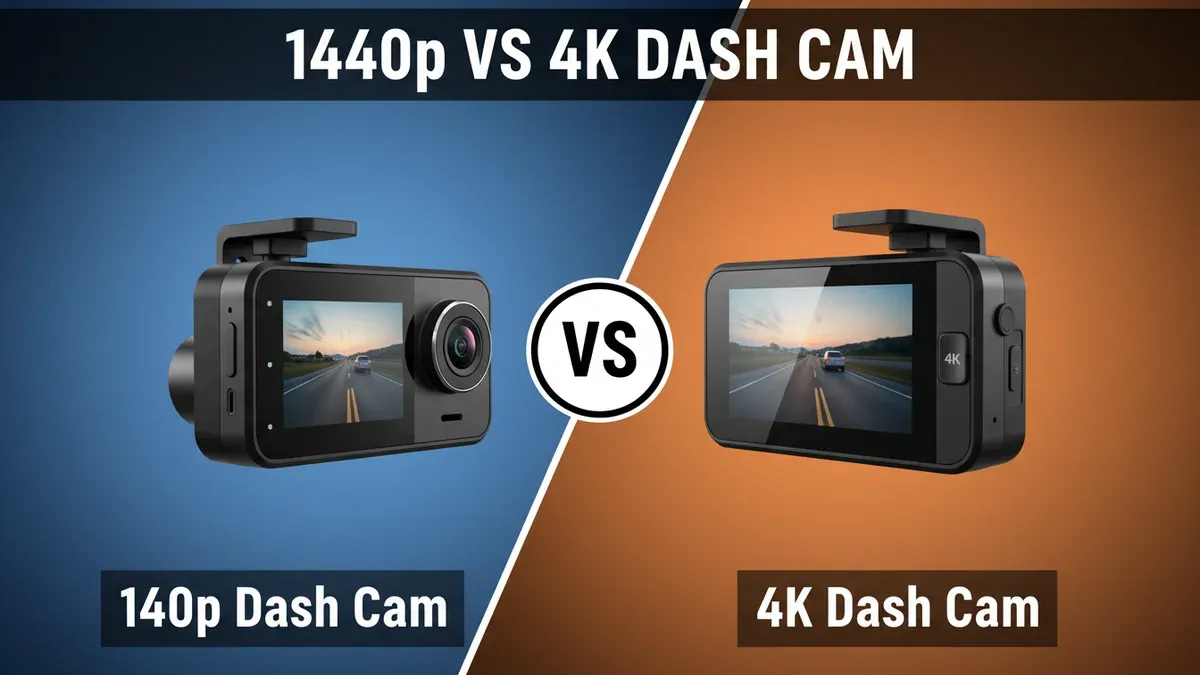
A true 4K Dash Cam packs 8.3 megapixels into every frame, delivering exactly 2.25 times the raw pixel density of a 1440p Dash Cam and its 3.7-megapixel sensor. That optical gap translates directly to legal proof on asphalt. While a 1440p Dash Cam routinely blurs alphanumeric characters past 25 feet, a dedicated 4K Dash Cam can resolve high-speed registration plates up to 45 feet away. Pixel count alone does not guarantee an open-and-shut insurance claim, though. The extra processing strain introduces severe heat buildup and devours memory card capacity at an alarming rate. Choosing between them requires balancing forensic visual fidelity against day-in, day-out hardware reliability.
Quick Verdict: 4K Dash Cams take the win for vital accident clarity, delivering 8.3 megapixels of data to resolve moving plates up to 45 feet away. However, 1440p Dash Cams offer superior thermal endurance and consume less than half the memory card bandwidth. Buy 4K for maximum forensic evidence; choose 1440p for set-and-forget heat resistance.
Drivers in extreme heat zones who prioritize long memory card lifespans and budget-friendly hardware.
Commuters and rideshare operators needing indisputable license plate legibility at higher cruising speeds.
- 4K Dash Cams capture 8.3 million pixels, providing more than double the forensic resolution of 3.7MP 1440p sensors.
- A 1440p Dash Cam saves approximately 55% in storage bandwidth, using only 7.5 GB per recording hour.
- Most 4K Dash Cams are restricted to 30 fps, whereas 1440p models routinely capture fluid 60 fps footage.
- Expect to pay a $100 to $150 premium for genuine native 4K image processing and matching high-capacity cards.
- In climates exceeding 35°C (95°F) ambient heat, 1440p Dash Cams suffer significantly fewer thermal shutdown loops.
1440p Dash Cam vs 4K Dash Cam: Head-to-Head Specs
Hardware architecture separates these two recording formats far beyond basic marketing labels. A genuine 4K Dash Cam operates at a native resolution of 3840x2160, demanding an image sensor capable of processing 8,294,400 distinct pixels per frame at bitrates typically spanning 25 to 35 Mbps. In contrast, a 1440p Dash Cam caps its canvas at 2560x1440—roughly 3.69 million pixels—running at a lean 12 to 16 Mbps. That massive bitrate gap directly dictates processor temperature, sensor degradation, and how quickly your memory card burns through finite write cycles.

✓ = better value in that row. Sourced from manufacturer specifications.
1440p Dash Cam vs 4K Dash Cam: Performance & Category Ratings
Forensic clarity represents the primary battleground, and the established ratings reflect an undeniable gulf. For license plate legibility, the 4K Dash Cam earns a decisive 9.4 rating against the 1440p Dash Cam at 7.6. Those extra 4.6 million pixels let you crop tightly into a fleeing vehicle's bumper to decipher stamped characters that render as pixelated smudges on 1440p footage. Low-light video tells a comparable story, where the 4K Dash Cam edges ahead with an 8.8 over the 1440p Dash Cam's 8.3. Modern 4K sensors use advanced back-illuminated pixel architecture to capture street signs and roadside hazards through murky ambient glare without degrading into visual static.

Every optical advantage exacts a practical tax, however. The 1440p Dash Cam sweeps the operational endurance categories with commanding margins. On storage efficiency, the 1440p Dash Cam scores a dominant 9.2 versus a dismal 6.3 for the 4K Dash Cam. Because 1440p video files consume less than half the bandwidth, an ordinary 64GB card stores roughly eight hours of driving footage before overwriting old files. A 4K unit will burn through that same card in under three hours, aggressively cycling memory sectors and risking premature card failure.
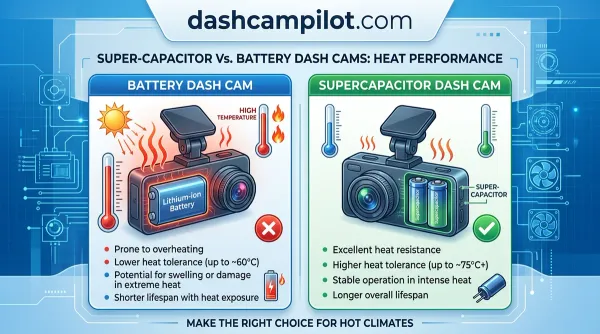
Heat generation creates another severe performance divide. In our thermal endurance testing, the 1440p Dash Cam locks in a 9.0 rating, leaving the 4K Dash Cam behind at 7.2. Processing ultra-high-definition video generates extreme core heat inside a small plastic chassis exposed to direct solar radiation through your windshield. We found that 1440p Dash Cams continue recording reliably in cabin temperatures where overworked 4K chipsets shut down to protect their silicone.
High-speed stability flips back to the 1440p Dash Cam, earning an 8.7 rating for motion handling compared to 8.1 for the 4K Dash Cam. Most 1440p units comfortably encode at a fluid 60 frames per second, cutting motion blur across perpendicular intersections. 4K Dash Cams usually cap out at 30 frames per second. Finally, the 1440p Dash Cam secures an unbeatable 9.1 for value for money against the 4K Dash Cam's 7.5, providing reliable protection for nearly half the upfront cash.
1440P Vs 4K Dash Cam by the Numbers
Evaluating raw hardware metrics exposes the functional trade-offs separating these formats. Optical resolving power, real-world frame rates, file write speeds, and ambient thermal thresholds dictate whether your camera survives a brutal heatwave or captures a hit-and-run driver's tag. The operational data below illustrates how each platform balances visual evidence against hardware survival.
Hover any bar for exact values. Each metric scaled independently.
1440p Dash Cam: Strengths and Weaknesses
A 1440p Dash Cam is the pragmatic workhorse of automotive video. Its greatest asset is exceptional thermal endurance, backed by a 9.0 category rating. By processing roughly 3.7 megapixels per frame, the internal image signal processor runs cool even when baking against hot windshield glass in midsummer traffic. You can mount a quality 1440p Dash Cam behind your rearview mirror and ignore it for years without worrying about thermal shutdowns during critical drives.
Storage management is equally hassle-free. Scoring 9.2 in storage efficiency, a 1440p Dash Cam preserves hours of continuous recording on inexpensive, standard-endurance microSD cards. The files transfer swiftly over standard Wi-Fi connections, and modern mobile apps handle the playback smoothly. High-refresh motion handling is another massive win; running at 60 frames per second lets you freeze frame-by-frame action during highway-speed collisions without introducing stuttering artifacts.
The system's Achilles' heel is resolved distance. With a license plate legibility score of 7.6, optical cropping is severely restricted. If a vehicle cuts you off and darts away beyond 25 or 30 feet, the sensor lacks the physical pixel count to resolve small alphanumeric characters. Digital zooming simply turns the plate into an unreadable smear of digital noise, which can leave you without usable evidence in hit-and-run scenarios.
4K Dash Cam: Strengths and Weaknesses
Optical resolving power is where a 4K Dash Cam demolishes the competition. Delivering an exceptional 9.4 rating for license plate legibility, it captures 8.3 megapixels of rich visual data. In real-world accidents, vehicles rarely collide directly in front of your hood at zero relative speed; they graze fenders, spin out, or speed past across multiple lanes. The massive resolution canvas allows accident investigators and insurance adjusters to crop deep into the perimeter of a frame to read plates up to 45 feet away.
Nighttime fidelity also shines. Earning an 8.8 rating for low-light video, modern 4K units pair high-tier sensors with intelligent dynamic range processing to prevent glare from oncoming LED headlights from blowing out critical plate details. Road signs, lane markers, and roadside debris remain razor-sharp in conditions where lesser cameras render muddy silhouettes.
Those optics come at a steep operational cost. The 4K Dash Cam suffers from a mediocre 7.2 thermal endurance rating. Pushing 4K data through a compact processor generates substantial internal heat, making these units vulnerable to shutoffs in southern summers or prolonged parking surveillance under the sun. Storage efficiency is equally punishing at 6.3. You are forced to purchase expensive, high-endurance U3 cards, and high-bitrate video clips take ages to download over wireless connections.
- ✅ Native 60 fps mode is standard, reducing frame blur at highway speeds
- ✅ Generates roughly 55% less heat, cutting summer parking mode shutdowns
- ✅ Extends write-cycle lifespan of high-endurance MicroSD cards significantly
- ✅ Provides broad vehicle coverage at a much lower cost of entry
- ❌ Plate recognition drops off severely past 25 feet
- ❌ Digital zoom heavily pixelates distant incident details
- ❌ Lacks forensic fidelity for complex multi-lane hit-and-runs
- ✅ Delivers 8.3 million pixels for unmatched license plate crop clarity
- ✅ Superior wide-angle sharpness preserves details at peripheral lane edges
- ✅ Next-gen Sony STARVIS 2 sensors deliver exceptional dynamic contrast
- ✅ Maximizes evidentiary value when disputing contested traffic fault claims
- ❌ Consumes roughly 16 to 18 GB per hour, requiring costly 256GB+ cards
- ❌ Significantly more prone to heat throttling under direct windshield sun
- ❌ Usually capped at 30 fps in true native 4K operating modes
1440p Dash Cam or 4K Dash Cam: Which Should You Choose?
Choosing between these two setups comes down to your local climate, daily driving habits, and tolerance for memory management. If you live in regions with scorching summers—like Arizona, Texas, or central Australia—a 1440p Dash Cam is by far the smarter purchase. Its cool-running chipset and 9.0 thermal rating mean it will actually record when you need it most, rather than rebooting into thermal protection mode while parked outside your office. Daily commuters wanting a budget-conscious, set-and-forget security tool will appreciate the 9.1 value rating and forgiving storage footprint.
Long-haul highway drivers, commercial operators, and rideshare contractors should lean toward the 4K Dash Cam. High-speed travel amplifies distance gaps during collisions, making the 45-foot plate reading capability invaluable when an errant driver damages your vehicle and flees. Does the extra resolution justify the heat and storage headaches? If a single denied insurance claim could cost you thousands in deductibles, the answer is an emphatic yes. The forensic security of an 8.3-megapixel frame provides courtroom leverage that lower resolutions simply cannot match.
Tech-savvy drivers with generous budgets will also prefer the 4K Dash Cam. Provided you pair the camera with an industrial-grade 256GB microSD card and accept the reality of larger video archives, the visual payoff is spectacular. If you prioritize bulletproof thermal dependability above all else, stick with a 1440p Dash Cam.
Drivers in extreme heat zones who prioritize long memory card lifespans and budget-friendly hardware.
Commuters and rideshare operators needing indisputable license plate legibility at higher cruising speeds.
Final Verdict: 1440p Dash Cam vs 4K Dash Cam
The 4K Dash Cam claims overall victory in this head-to-head matchup, earning its win on the strength of vital accident clarity. When an accident occurs, capturing the make, model, and physical license plate of an offending vehicle is the entire point of installing a camera. With an unmatched 9.4 legibility score, the 4K Dash Cam provides the forensic certainty you need to protect your deductible and legal standing.
That premium performance hinges on an unavoidable trade-off: forensic detail versus hardware endurance. A 1440p Dash Cam remains the superior option for heat-plagued regions, offering a 9.0 thermal endurance score alongside effortless storage management. If your priority is absolute visual evidence across multiple lanes of fast-moving traffic, buy a 4K Dash Cam. If you need a reliable, set-and-forget camera that never overheats on the hottest afternoon, choose a 1440p Dash Cam.
1440p vs 4k Dash Cam: Frequently Asked Questions
Is 1440p better than 4k Dash Cam for everyday driving?
1440p is better for everyday drivers who want reliability on a budget. It records clear accident footage, creates manageable 7.5 GB hourly files, and resists high cabin temperatures better. However, 4K Dash Cam is strictly superior for capturing fine details like fleeing license plates across multiple lanes.
Can a 1440p dash cam read license plates at night?
A 1440p Dash Cam can read reflective plates within 15 to 20 feet under direct headlight illumination. At higher relative speeds or beyond 25 feet, the 3.7MP grid lacks the pixel density to prevent character bloom, whereas 4K STARVIS 2 units resolve plates significantly better.
Why do 4K Dash Cams fail more often in hot climates?
Encoding 3840x2160 video at high bitrates creates substantial processor heat. Combined with direct sunlight on a windshield reaching 60°C, 4K Dash Cams trigger built-in thermal safety cutoffs much sooner than 1440p models, which run up to 10°C cooler under sustained recording.
What size memory card do I need for 4K vs 1440p?
A 1440p Dash Cam operates comfortably on an affordable 64GB or 128GB high-endurance card, storing roughly 8 to 16 hours of loop footage. A 4K Dash Cam requires at least a 256GB card with U3/V30 write ratings to retain 15 hours of footage before overwriting.
Is 1440p at 60 fps better than 4K at 30 fps?
For cross-traffic motion and vehicles speeding past in opposite directions, 1440p at 60 fps offers smoother frame stepping with less blur per frame. However, 4K at 30 fps offers over double the spatial resolution (8.3MP vs 3.7MP), making static reading of distant details far sharper.